Every license and contract, where you can find it.
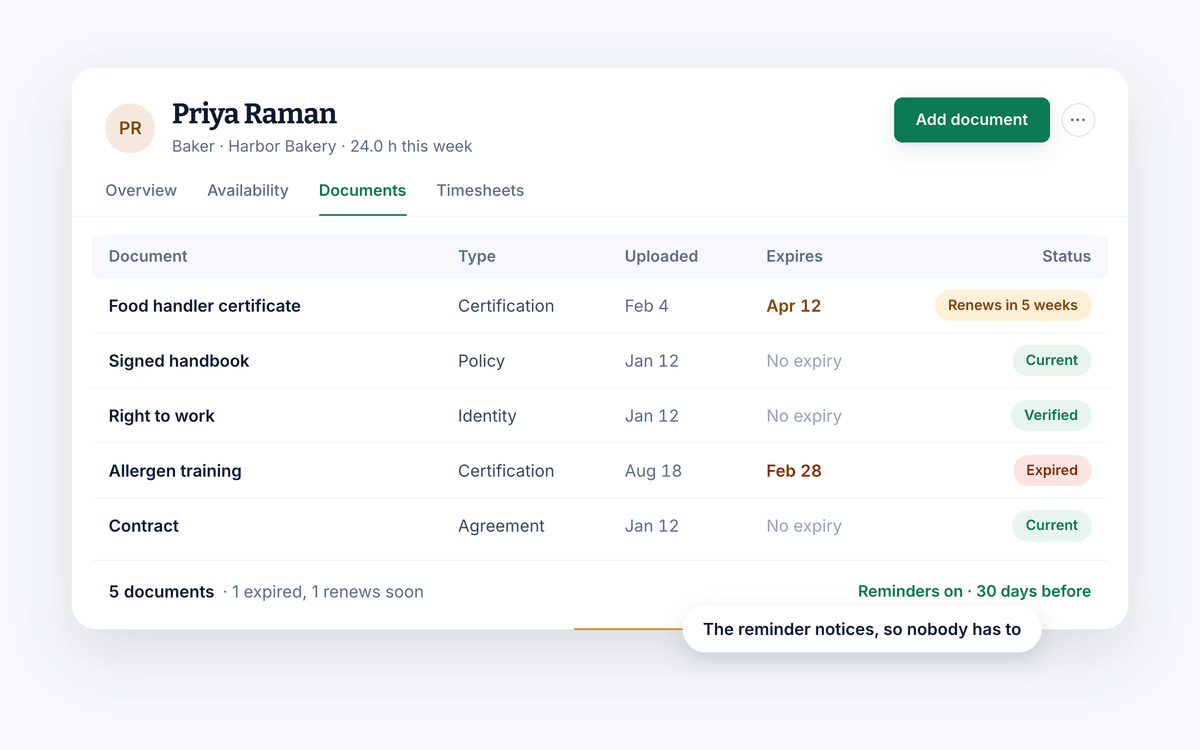
Keep personnel files attached to the employee they belong to, with unlimited storage, alerts before anything expires, and permissions so only the right people can open them.
Free for your whole team. No credit card required.
- Unlimited document storage
- Alerts before anything expires
- Free for your whole team
What you can do
Personnel files that stay current.
A document store is only useful if you can find what is in it, if somebody notices before a document lapses, and if only the right people can open it.
Files that live with the person
Licenses, contracts, certifications, signed policies, whatever your business is required to keep. All of it inside the employee profile rather than a folder somebody named in 2019.
- Keep licenses, contracts, certifications and more
- Attach as much as you need, with unlimited storage
- Everything sits inside the employee's own record
Why it helps
The paperwork stops being a project.
Find things faster
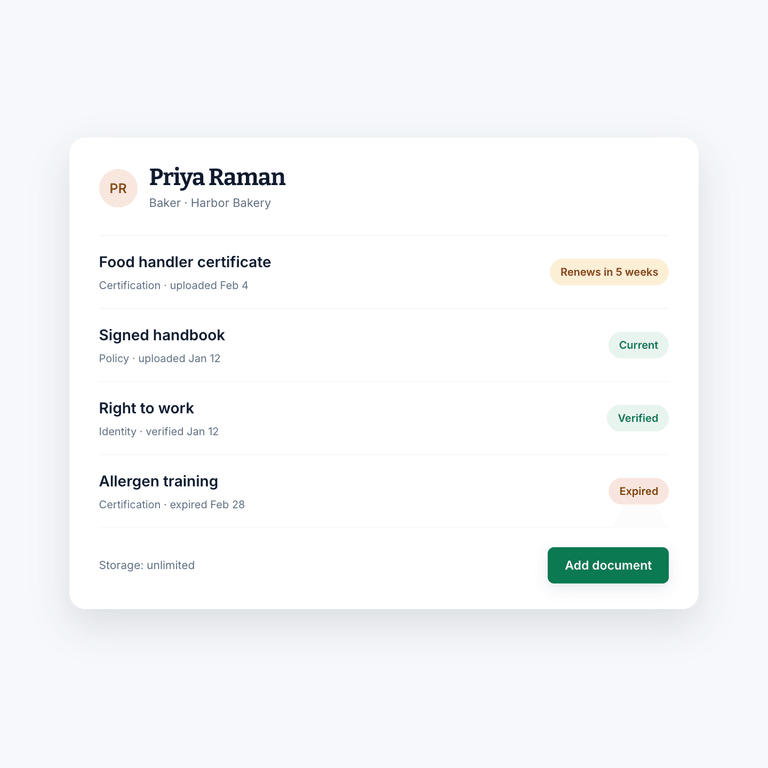
Everything you have to keep on file sits where you would look for it, which is next to the person it belongs to.
Simpler personnel files
No digging through a filing cabinet or a folder structure nobody remembers designing. One record per employee, current.
Fewer compliance surprises
Expiration dates and alerts turn a lapsed certification into something you handle in advance rather than discover during an inspection.
Compared to
Against a shared drive and a tracker sheet.
The files in one place, the list of what expires when in another, and someone responsible for keeping the two in agreement.
| What you get | Shift AmpFree, or $2 per billable member for Pro | Shared drive + spreadsheet |
|---|---|---|
| Documents attached to the employee | ||
| Alerts before a document expires | ||
| Permissions on individual files | Folder level, usually | |
| One place to look | Two, plus the tracker | |
| Nothing to reconcile by hand | ||
| Access revoked when someone leaves | ||
| Storage | Unlimited | Whatever the plan allows |
The rest of Shift Amp
More than document storage.
The rest of the record you keep on your team.
Employee scheduling
Build the week on a grid, publish it, and approve the changes your team asks for.
Learn moreEmployee time clock
Accurate clock-ins and timesheets that are ready for payroll.
Learn moreTeam communication
Messages, group chats and channels next to the schedule.
Learn moreEmployee breaks
Break rules applied to shifts automatically, with reminders on the floor.
Learn moreTask management
Assign the shift's work and see what actually got done.
Learn moreLabor costs
See what a shift costs while you are still building it.
Learn moreMulti-location scheduling
Staff several sites from one schedule and compare them side by side.
Learn moreLabor compliance
Break and overtime rules for every state, kept current.
Learn moreFAQ
Employee documents, answered.
What are employee documents?
The files associated with somebody working at your company: payroll paperwork, medical information, licenses, certifications, contracts, signed policies and anything else you hold about them.
Why are personnel files important?
The file types you need vary by business and by where you operate, but it is likely you are required to hold records of your employees' information. Keeping them complete and current is part of running the business, not an administrative extra.
How should I manage employee files?
Keep them accurate, keep them up to date, keep them confidential, and make sure they are accessible only to authorized people. Shift Amp handles the last part with per-document permissions, and the second part with expiration alerts.
Is Shift Amp good for managing employee documents?
Yes. It is a modern, cloud-based place to store and manage the information in your personnel files, attached to the same employee records you already schedule and pay against.
Can I get warned before a certification expires?
Yes. Put an expiration date on the document and set a notification, and you get an alert with enough time to renew it rather than a problem on the day it lapses.
Who can see the documents?
Only the people you allow. Documents can be kept private, and permissions are set per file, so a manager at one site is not automatically reading personnel records from another.
Is there a storage limit?
No. Attach everything a personnel file needs without deciding what to leave out.
What does it cost?
Scheduling is free for your whole team, at any size, with no credit card. Pro adds the time clock, timesheets, reports and more for $2 per billable member a month, and every new team starts with 14 days of everything free.
Pricing
All the schedule. None of the bloat.
No add-ons, no per-location fees, no surprises. Just a schedule your whole team can count on, and it's free for all of them.
Free
For any number of people.
- The schedule, with open shifts, shift swaps and coverage
- Availability and time-off requests
- Labor cost estimates as you build the week
- Messaging with photos and documents, and shift tasks
- iOS and Android apps for everyone on the team
- No credit card
Pro
Every member counts, from the first. No cap on team size.
- Everything in Free, plus:
- A time clock on phones and shared kiosks, with location checks
- Timesheets and approvals
- Payroll-ready exports
- Reports on hours, coverage, labor cost and attendance
- Paid time off balances
- A wiki for your team's how-tos
From the blog
Keeping the paperwork straight.
Guides on personnel files, record keeping and the parts of HR that catch people out.
Scheduling Minors: Hour Limits and Work Permits in 20 States
Federal law caps hours only for 14 and 15 year olds, so the real limits on a teen's schedule live in state law. Here is how 20 states compare, with a worked week and the mistakes that cause violations.
October 23, 2026
Can You Change an Employee's Schedule Without Notice? What You Owe, by City
Federal law does not require notice before you change a schedule, but a growing list of cities makes late changes cost money. Here is the default rule, where it flips, and what each change costs.
October 22, 2026
Open Shift Pickup Rules: First-Come, Seniority, or Lottery
Who gets the open shift? A vendor-neutral guide to first-come, seniority and lottery pickup rules, the overtime check most policies skip, and a copy-paste policy.
October 21, 2026
Empty the filing cabinet.
Start free and get your personnel files somewhere you can actually search them.
Free for your whole team. No credit card required.