Hours you can actually trust on payday.
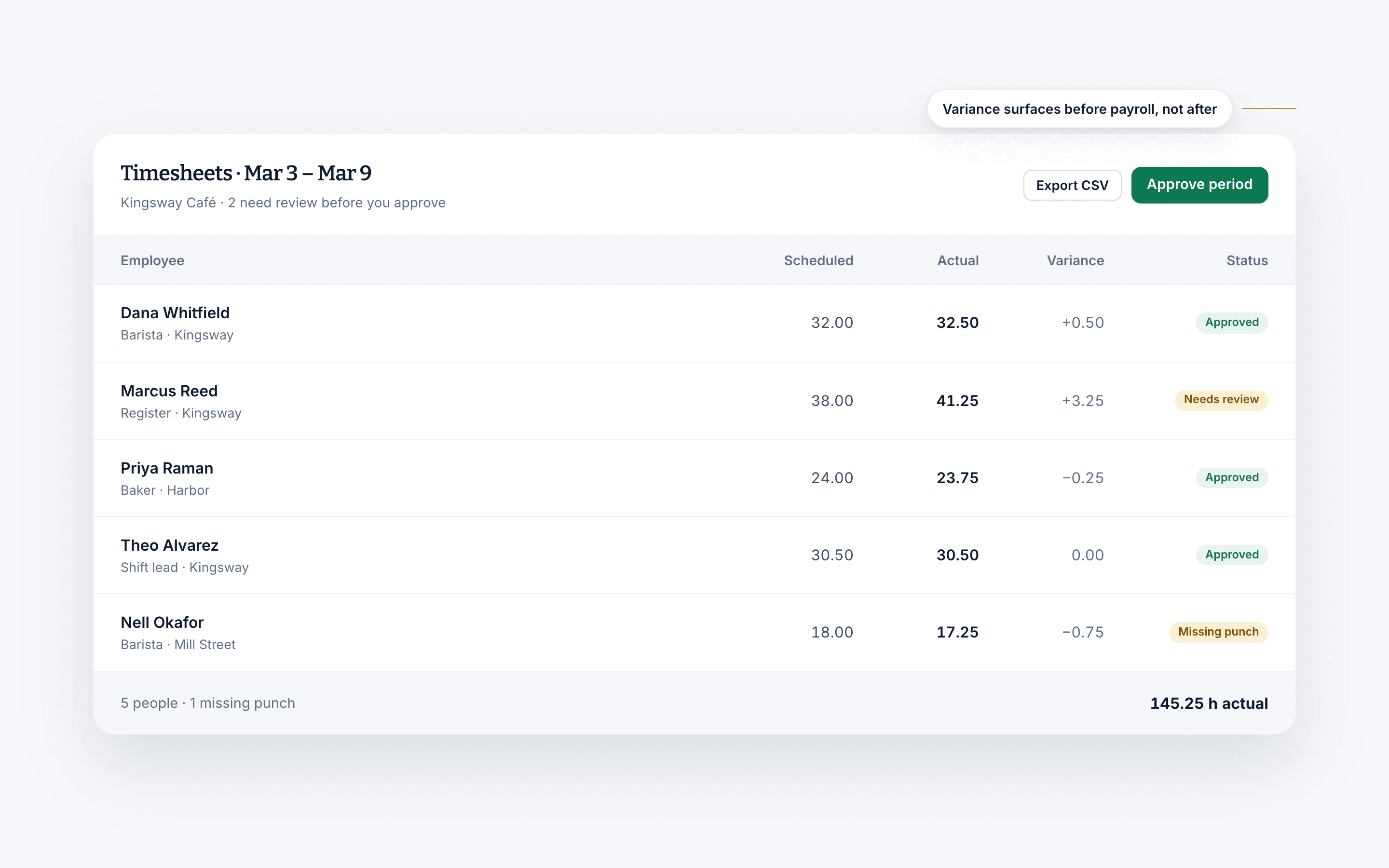
Your team clocks in on their phones or a shared tablet. Missed punches are flagged for you to fix, and only approved weeks go into the payroll export.
Try it free for 14 days. No credit card required.
- No paper timesheets or fixed terminals
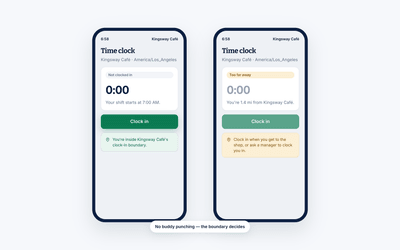
- Location checks flag clock-ins from off site
- Part of Pro, free for 14 days
What you can do
From the punch to the payroll export.
Time tracking only pays off if the numbers survive the whole trip. These are the four places it usually goes wrong.
Accurate hours, down to the minute
Approximate hours cost money in both directions. Shift Amp records the real ones, on whatever hardware you already have.
- Precise time tracking on every shift
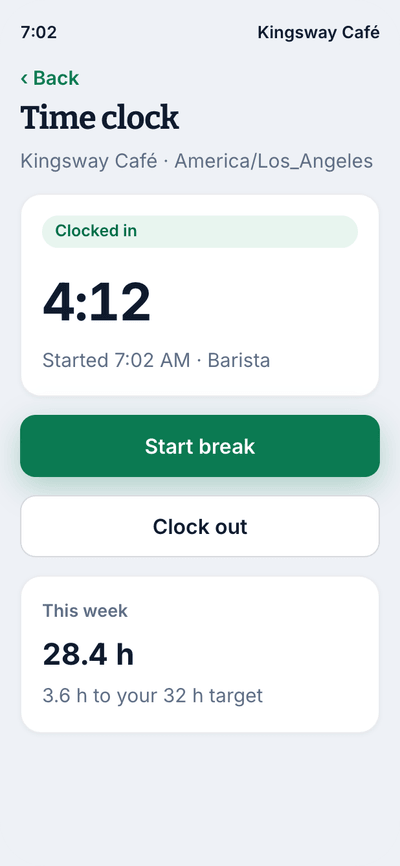
- Turn any phone into a time clock
- Or run a shared tablet as a kiosk by the door
Why it helps
Where the money actually leaks.
Fewer late starts and no-shows
Late starts and no-shows drag everyone down. Reminders before the shift and a clear record afterward keep the pattern visible.
Fewer early clock-ins
Set how early people can clock in, so time cards match the schedule.
Timesheets that tally themselves
No more counting hours by hand at the end of the period. The time card is built as the shifts are worked.
Compared to
Against paper time cards.
The comparison most teams are actually making when they look at a time clock.
| What you get | Shift AmpPart of Pro, $2 per billable member | Paper time cards |
|---|---|---|
| Clock in from a phone | ||
| Hours totaled automatically | ||
| Location checked at clock-in | ||
| Early clock-ins prevented | ||
| Break time recorded | If someone writes it down | |
| Exports to payroll | ||
| Records kept for audit | In a filing cabinet | |
| Long weeks flagged by your weekly hours limit |
iOS & Android
The clock is already in their hand.
Everyone on your team is carrying a device that knows the time and where it is. That is the only hardware a time clock actually needs.
- Clock in and out in two taps
- Reminders at the start and end of a shift
- Break prompts, so nobody has to be chased
- Managers approve or correct a timesheet from anywhere
Rules worth writing down.
Clocking in is simple. The rules around it are where businesses get into trouble, so it helps to put them in writing and hand them to every new hire. These are the ones most teams land on.
- Record the hours you work each week, and use Shift Amp to do it.
- Clock in by the start of your assigned shift.
- Clock out at the end of your assigned shift.
- Do not clock in more than five minutes before your shift, or out more than five minutes after it, without a manager approving it.
- Clock out for your assigned meal break and clock back in when it is over.
- Do not clock out for other allowed breaks.
- Anyone who works more than 40 hours in a week is paid for the extra hours at one and a half times their regular rate.
- Clock out if you leave the work location for any reason other than a task a manager assigned you.
- Clock in and out at your assigned duty station.
- Any change to recorded time has to be approved by your immediate supervisor.
Your requirements will differ, and the overtime line in particular depends on where you operate. The point is that everyone is working from the same written list rather than the version they remember.
The rest of Shift Amp
More than a time clock.
The clock is one piece. Here is what it connects to.
Mobile time clock
Any phone becomes the time clock, with location checks at each site.
Learn moreEmployee scheduling
Build the week on a grid, publish it, and approve the changes your team asks for.
Learn moreLabor costs
See what a shift costs while you are still building it.
Learn moreEmployee breaks
Break rules applied to shifts automatically, with reminders on the floor.
Learn moreTeam communication
Messages, group chats and channels next to the schedule.
Learn moreTask management
Assign the shift's work and see what actually got done.
Learn moreMulti-location scheduling
Staff several sites from one schedule and compare them side by side.
Learn moreLabor compliance
Break and overtime rules for every state, kept current.
Learn moreFAQ
Time clocks, answered.
What is an employee time clock?
It is whatever your business uses to record the hours your team works so you can pay them correctly. Time clocks come in three broad shapes: manual, software, and a combination of the two. Shift Amp is the software kind, which means it works at any size and carries the rest of the workforce tools alongside it.
Why does a time clock matter?
It saves time and money, because collection and calculation are automated and hour tracking moves to the team doing the hours. It makes payroll accurate, which is where confusing policies and manual entry usually cause problems. It gives you real-time information about who is running into overtime, which positions take the longest, and how labor time compares to what your business produced. And it surfaces attendance patterns you would otherwise only half-notice: repeated absences, tardiness, long breaks, early clock-ins, late clock-outs and overtime nobody approved.
How does it help my business day to day?
It lets you manage the team without standing on site, because the data is cloud-based and current. It removes most of the human error, since the software stores, tallies and reports the numbers instead of someone entering them twice. It keeps sensitive employee information in a controlled digital record rather than a physical file. And it turns a job that used to take hours each period into one that takes minutes.
Who is a time clock right for?
Any business that pays people for hours worked. Healthcare, restaurants, retail, education, hotels, transportation, call centers, caregiving, entertainment, emergency services, nonprofits and remote teams all use one. If your business does not fit one of those, the same tools still apply.
Can my team clock in from personal phones?
Yes, and most teams run it that way. You can also set up a shared tablet as a kiosk if you would rather your team clock in at a fixed point, and you can run both at once at different locations.
How do I stop my team clocking in from home?
Turn on location checks. A clock-in from outside the area you set is flagged for you to review before you approve the week. You can also cap how early someone is allowed to clock in, so the shift does not start twenty minutes ahead of schedule.
What happens when someone forgets to clock out?
You get to see it and fix it. Managers can adjust a timesheet, close out a shift someone left open, and approve the correction, so the error is dealt with on the day rather than discovered during payroll.
What does it cost?
The time clock is part of Pro, at $2 per billable member a month, and every new team gets 14 days of everything free, no credit card needed. Scheduling and messaging stay free for your whole team.
Pricing
All the schedule. None of the bloat.
No add-ons, no per-location fees, no surprises. Just a schedule your whole team can count on, and it's free for all of them.
Free
For any number of people.
- The schedule, with open shifts, shift swaps and coverage
- Availability and time-off requests
- Labor cost estimates as you build the week
- Messaging with photos and documents, and shift tasks
- iOS and Android apps for everyone on the team
- No credit card
Pro
Every member counts, from the first. No cap on team size.
- Everything in Free, plus:
- A time clock on phones and shared kiosks, with location checks
- Timesheets and approvals
- Payroll-ready exports
- Reports on hours, coverage, labor cost and attendance
- Paid time off balances
- A wiki for your team's how-tos
From the blog
Tracking time, done properly.
Practical guides on timesheets, attendance and the rules that govern both.
Scheduling Minors: Hour Limits and Work Permits in 20 States
Federal law caps hours only for 14 and 15 year olds, so the real limits on a teen's schedule live in state law. Here is how 20 states compare, with a worked week and the mistakes that cause violations.
October 23, 2026
Can You Change an Employee's Schedule Without Notice? What You Owe, by City
Federal law does not require notice before you change a schedule, but a growing list of cities makes late changes cost money. Here is the default rule, where it flips, and what each change costs.
October 22, 2026

Open Shift Pickup Rules: First-Come, Seniority, or Lottery
Who gets the open shift? A vendor-neutral guide to first-come, seniority and lottery pickup rules, the overtime check most policies skip, and a copy-paste policy.
October 21, 2026
Retire the paper time card.
Start free and have accurate hours flowing by the end of the week.
Try it free for 14 days. No credit card required.