Any phone becomes the time clock.
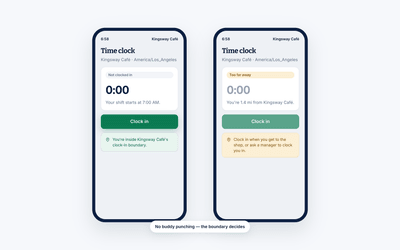
Turn the device your team already carries into the clock, with rules about where it works. Fix a missed clock-out, approve a timesheet and manage the schedule from your own phone while you are at it.
Try it free for 14 days. No credit card required.
- GPS and IP rules for where your team can clock in
- Automatic clock-out when somebody forgets
- Part of Pro, free for 14 days
What you can do
A time clock with no hardware attached.
Everything a mounted terminal does, plus the things it never could: knowing where the punch came from, and being fixable from a different building.
The hardware you already own
Your team clocks in from the phone already in their pocket, and you get the hours without buying a thing. Nothing to mount or replace.
- Your team clocks in and out on personal phones
- Time on the clock tracked down to the minute
- No terminal to buy, mount or maintain
On the floor
Works wherever your team actually is
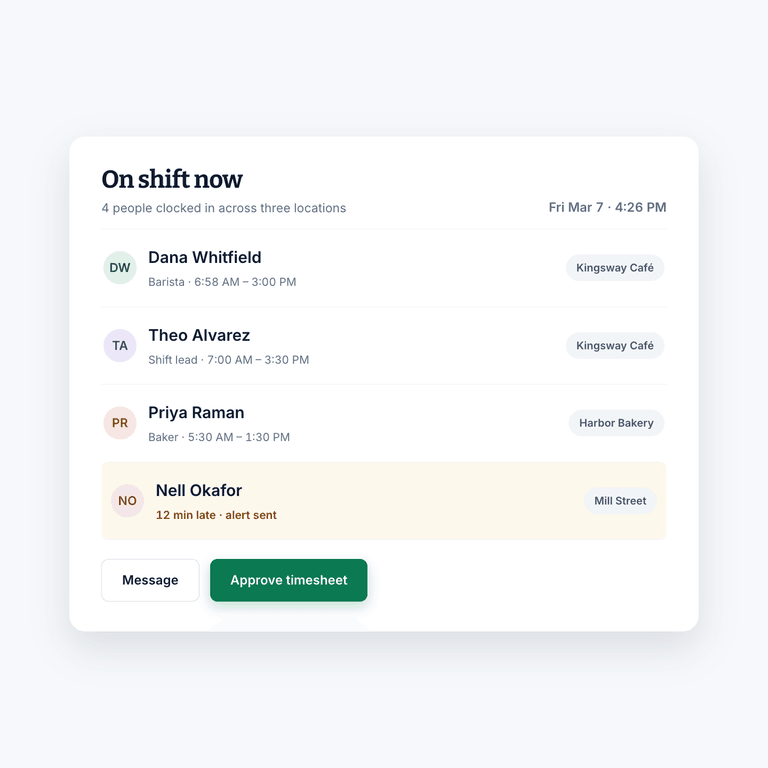
Remote and off-site work, several locations, or everyone under one roof. Location rules check that each person clocks in from the right place every time. If somebody is running late, send an automated alert or message them directly. If you are short on time, view, adjust and approve their timesheet from the same screen.
- Remote, field, multi-site or single-site teams
- Automated alerts to anyone running late
- Message someone directly without leaving the app
- Approve the timesheet without going back to a desk
Why it helps
Get the hours right the day they happen.
Fixed on the day
When someone forgets to clock out or leaves a shift running, you correct it from your phone that day. It doesn't wait to be found at payroll.
Punches you can rely on
Every clock-in is checked against the site's location, and anything from outside it is flagged for you to review.
No hardware to manage
Your team clocks in on the phones they already carry. There's no terminal to buy, mount or replace.
iOS & Android
The clock, the schedule and the conversation.
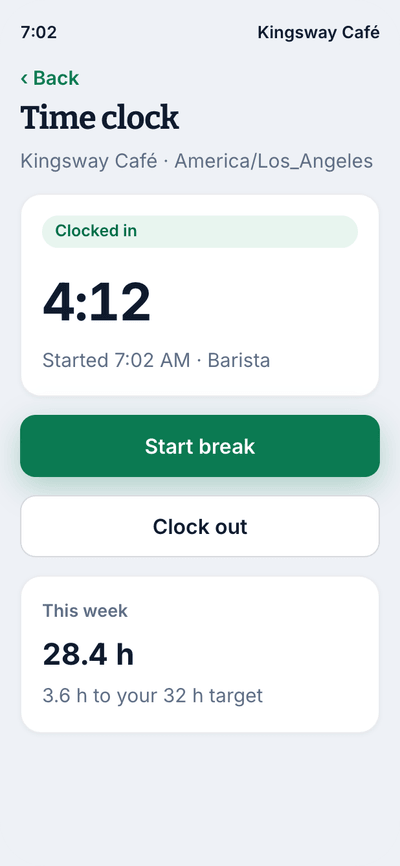
One app for the person working the shift and the person running it. They clock in and check their hours; you approve, adjust and fill gaps from the same place.
- Clock in and out in two taps
- Location checked automatically at clock-in
- Shift reminders and break prompts
- Managers approve timesheets from anywhere
The rest of Shift Amp
More than a mobile clock.
What the punches feed into once they are recorded.
Employee time clock
Accurate clock-ins and timesheets that are ready for payroll.
Learn moreEmployee scheduling
Build the week on a grid, publish it, and approve the changes your team asks for.
Learn moreLabor costs
See what a shift costs while you are still building it.
Learn moreEmployee breaks
Break rules applied to shifts automatically, with reminders on the floor.
Learn moreMulti-location scheduling
Staff several sites from one schedule and compare them side by side.
Learn moreTeam communication
Messages, group chats and channels next to the schedule.
Learn moreTask management
Assign the shift's work and see what actually got done.
Learn moreLabor compliance
Break and overtime rules for every state, kept current.
Learn moreFAQ
Mobile time tracking, answered.
Can my team clock in from their own phones?
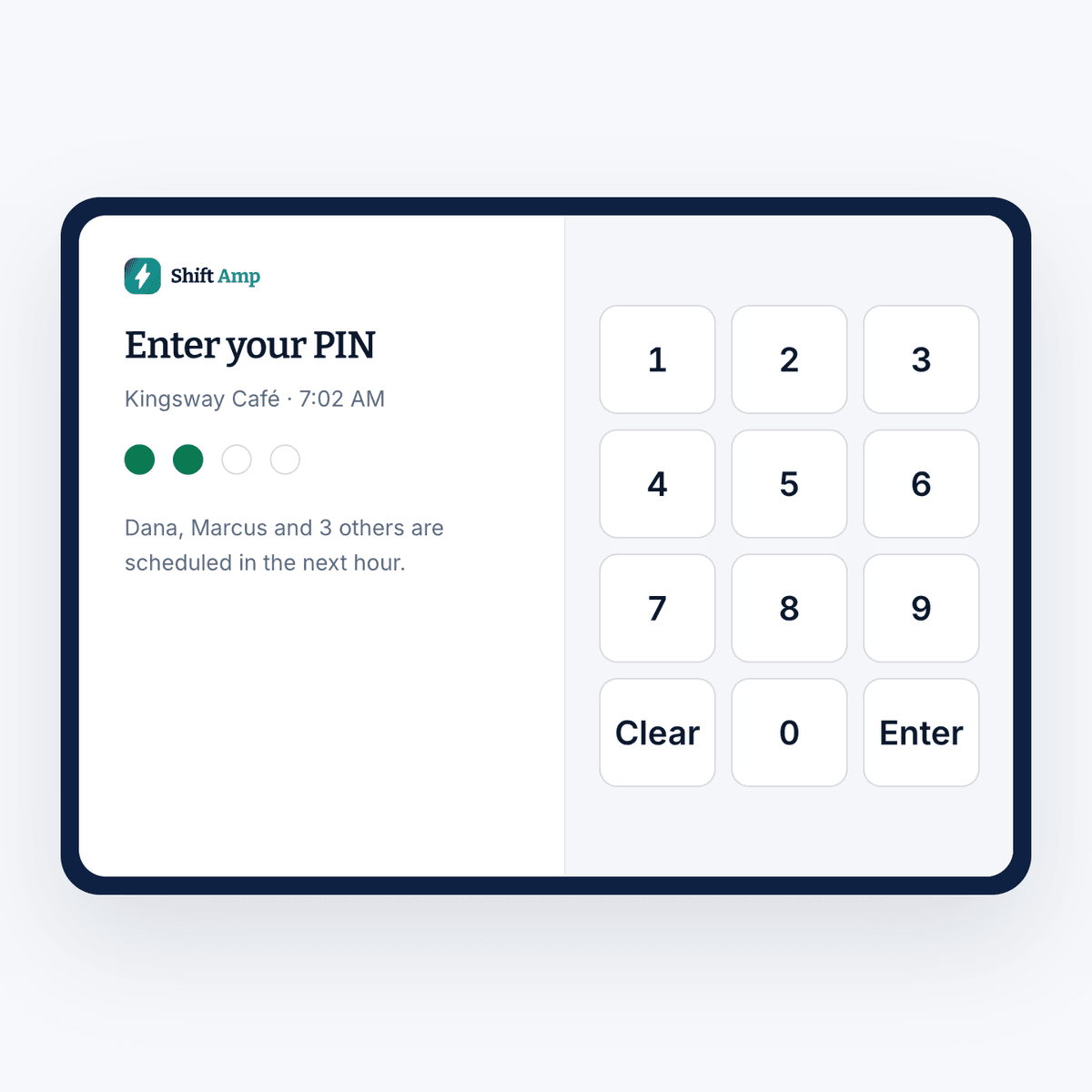
Yes, and that is how most teams run it. Any smart device becomes the time clock, so there is no terminal to buy or maintain. You can still set up a shared tablet as a kiosk at sites where you would rather your team clock in at a fixed point.
What if somebody clocks in from home?
Turn on location checks. A clock-in from outside the area you set is flagged for you to review before you approve the week.
What happens when somebody forgets to clock out?
You can set Shift Amp to clock them out automatically, and you can correct the timesheet yourself afterward. Either way it is handled on the day rather than found during payroll.
Can I approve timesheets from my phone?
Yes. View, adjust and approve timesheets from the app, which means the review does not have to wait until you are back at a desk.
Does it work across several locations?
Yes. Each location gets its own area, so clock-ins are checked against the site each person is assigned to, and you can compare the hours between them.
Can I keep an eye on breaks remotely?
Yes. Break times, duration and frequency are all visible from the app, and you can remind your team to take a break without being on location.
What does it cost?
The time clock is part of Pro, at $2 per billable member a month, and every new team gets 14 days of everything free, no credit card needed. Scheduling and messaging stay free for your whole team.
Pricing
All the schedule. None of the bloat.
No add-ons, no per-location fees, no surprises. Just a schedule your whole team can count on, and it's free for all of them.
Free
For any number of people.
- The schedule, with open shifts, shift swaps and coverage
- Availability and time-off requests
- Labor cost estimates as you build the week
- Messaging with photos and documents, and shift tasks
- iOS and Android apps for everyone on the team
- No credit card
Pro
Every member counts, from the first. No cap on team size.
- Everything in Free, plus:
- A time clock on phones and shared kiosks, with location checks
- Timesheets and approvals
- Payroll-ready exports
- Reports on hours, coverage, labor cost and attendance
- Paid time off balances
- A wiki for your team's how-tos
From the blog
Tracking time on the move.
Guides on mobile clock-ins, geofencing and keeping remote hours honest.
Scheduling Minors: Hour Limits and Work Permits in 20 States
Federal law caps hours only for 14 and 15 year olds, so the real limits on a teen's schedule live in state law. Here is how 20 states compare, with a worked week and the mistakes that cause violations.
October 23, 2026
Can You Change an Employee's Schedule Without Notice? What You Owe, by City
Federal law does not require notice before you change a schedule, but a growing list of cities makes late changes cost money. Here is the default rule, where it flips, and what each change costs.
October 22, 2026

Open Shift Pickup Rules: First-Come, Seniority, or Lottery
Who gets the open shift? A vendor-neutral guide to first-come, seniority and lottery pickup rules, the overtime check most policies skip, and a copy-paste policy.
October 21, 2026
Put the clock in their pocket.
Start free and have your team clocking in from their phones this week.
Try it free for 14 days. No credit card required.