Set up billing
The owner sets up billing when adding an 11th billable member: select Set up billing in the dialog that opens, then enter a card on Stripe's page.
You set up billing when your team grows past the free plan's 10 billable members. Only an organization owner can do it, and only at that moment: when adding someone, or reactivating them, would make an 11th billable member. The Billing page has no button to start it.
Set up billing
- Fill in the new person's details as usual. See Add someone to your team.
- At the bottom of the form, select Add employee. The Your team is growing dialog opens. It shows your new number of billable members, what the plan will cost each month, and whether you get a free trial.
- Select Set up billing. Stripe's payment page opens.
- Enter the email address where receipts should go. A shared address, such as an accounts@ address, is safer than a personal one, so payment problems reach whoever is around.
- Enter your card details and finish on Stripe's page.
- Back in Shift Amp, the page says Confirming your billing setup. Wait a few seconds, then select Check again. Repeat until the page says You’re all set.
Keep the page open until then: the person isn't added until the setup is confirmed. Once it says You’re all set, the person has been added. With a free trial, the page also gives the date you'll first be charged. Select Go to People or Billing settings.
Reactivating someone who didn't count this period can open the same dialog. On their record, select Reactivate employee and confirm, then continue from step 3.
Send the person's invitation
- Select Go to People.
- Select the new person's name to open their record.
- Under Mobile app access, select Send invitation.
See Invite your team to the app.
If you stop before billing is set up
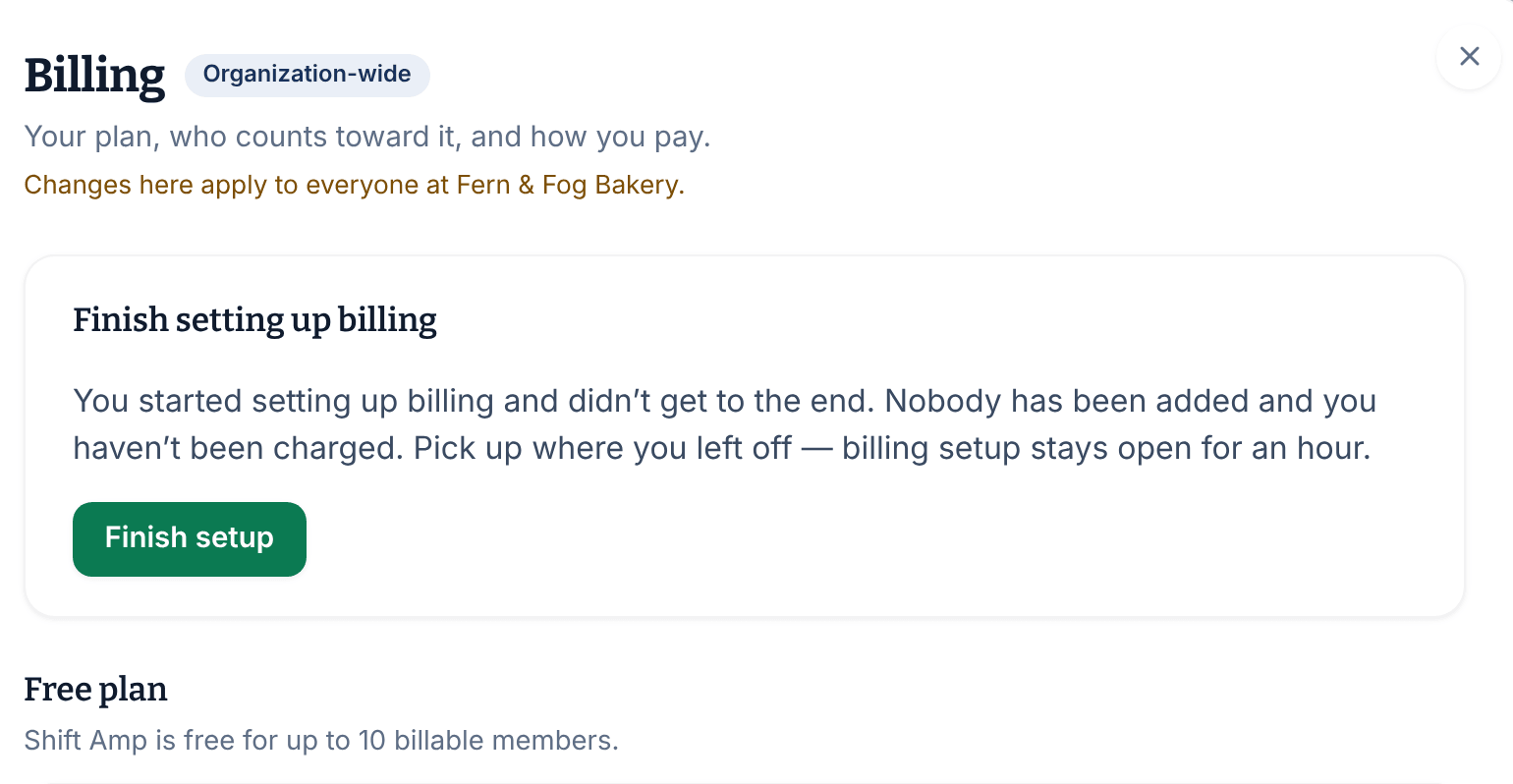
- If you selected Not now, nothing was created and you weren't charged. For an hour, the Billing page shows Finish setting up billing. Select Finish setup to carry on. After an hour, add the person again.
- If you back out of Stripe's page, you see Billing setup cancelled. Nobody was added and no payment details were saved. Add the person again when you're ready.
- If the Billing page says "That billing setup timed out", the hour has passed. Add the person again to start over.
If you're not an owner
Operations administrators and location managers can't set up billing. When they reach the limit, they're told that an owner needs to. See Add people past the free plan.
Was this article helpful?