Fix a failed payment
A payment problem stops you adding or reactivating people, and nothing else. The owner fixes it by updating the payment method on the Billing page.
When a payment fails, nothing in Shift Amp is switched off. Everyone keeps their schedules, notifications and time clock. Until the problem is fixed, nobody can add or reactivate people. Only an organization owner can fix it, from the Billing page.
How you find out about a failed payment
- Owners see "There’s a problem with your payment" on the Billing page. Nothing else in the app shows it, so check Billing if someone can't add a person.
- Other managers find out when they try to add or reactivate someone. They see "There's a problem with your organization's payment method, so new members can't be added yet. Everyone's schedules and time clock are unaffected. An owner can resolve it in Settings → Billing."
Fix the payment
- Open the account menu at the bottom of the left menu (your name), select Settings, then select Billing.
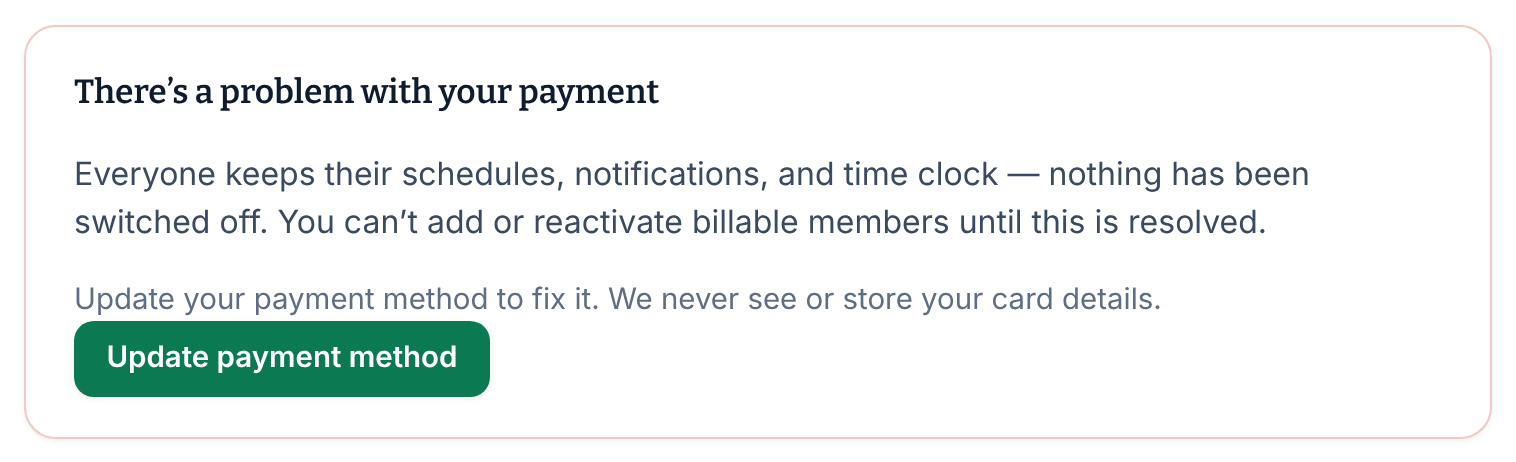
- Under "There’s a problem with your payment", select Update payment method. Stripe's billing portal opens.
- Update your card.
- Use the portal's link back to Shift Amp to return to the Billing page.
The message goes away once your payment has gone through, and you can add people again. If it's still there after you've updated your card, contact Shift Amp support.
What a payment problem blocks
- Adding people, one at a time or by importing a file.
- Reactivating archived people, even someone who already counted this period.
Nothing else is affected. Schedules, requests, notifications and the time clock keep working for everyone.
To make someone else an owner, see Change someone's role.
If Billing says it's having trouble updating
If the Billing page says "We’re having trouble updating your billing", your plan is unaffected and nobody has lost access. Shift Amp keeps retrying on its own. If the message is still there the next day, contact Shift Amp support.
See also Update your card or download an invoice.
Was this article helpful?