How billing works
Shift Amp is free for up to 10 billable members. Adding an 11th needs billing, which only the organization owner can set up.
Shift Amp is free for up to 10 billable members. To add an 11th, your organization needs billing. Only organization owners can set it up, and only they see the Billing page.
Who counts as a billable member
A billable member is a distinct person who belonged to your organization at any point during the billing period.
- Everyone counts the same, whatever their role. Changing someone's role never changes your bill.
- People count from the moment you add them, even before they accept their invitation.
- Someone at two locations, or with several positions, counts once.
- Someone you archive still counts for the period you archived them in, and stops counting from the next one.
- People hidden from the schedule still count.
For example, Fern & Fog Bakery has 10 billable members, the owner included. Riley Moss hasn't accepted the invitation yet but already counts, so the bakery is at the free limit.
When you go past 10 billable members
When adding or reactivating someone would make an 11th billable member, Shift Amp stops before anything is created. The owner sees what the plan will cost each month and can set up billing right there. Other managers are told that an owner needs to. See Add people past the free plan and Set up billing.
From then on, every billable member counts toward the bill, not only the ones above 10. There's one plan, with no tiers: every organization gets everything Shift Amp does.
The free trial
The first time an organization sets up billing, its first 14 days are free. A card is taken at setup and isn't charged until the trial ends. Each organization gets one trial.
The Billing page
Only owners have the Billing page.
- Open the account menu at the bottom of the left menu (your name), then select Settings.
- Select Billing. Search settings doesn't find it, so select it from the list.
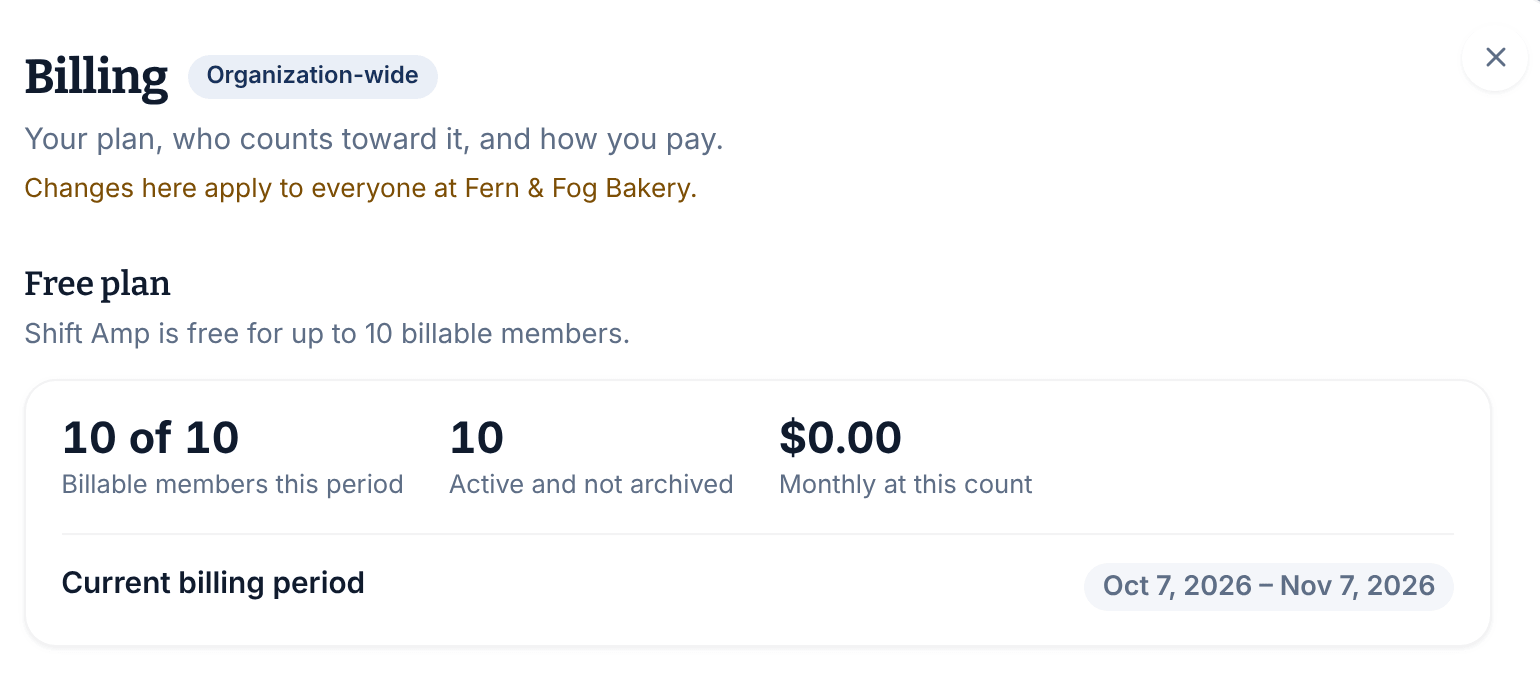
From top to bottom, the page shows:
- your plan: Free plan, Your plan, or Your 14-day free trial with the date it ends;
- your Billable members this period (out of 10 while you're free), the Monthly at this count total and the Current billing period;
- once billing is set up, Stripe's Estimated next invoice and the Manage payment method and invoices button;
- Invoices, your recent bills;
- Archived this period, when someone you archived still counts;
- You’re close to the free limit, at 8 or 9 billable members, with how many more people you can add before billing starts;
- a list of everyone who counts this period, and since when;
- Changing or ending your plan and Who counts as a billable member, which explain the rules.
See Fix a failed payment.
Was this article helpful?