Works with what you already run.
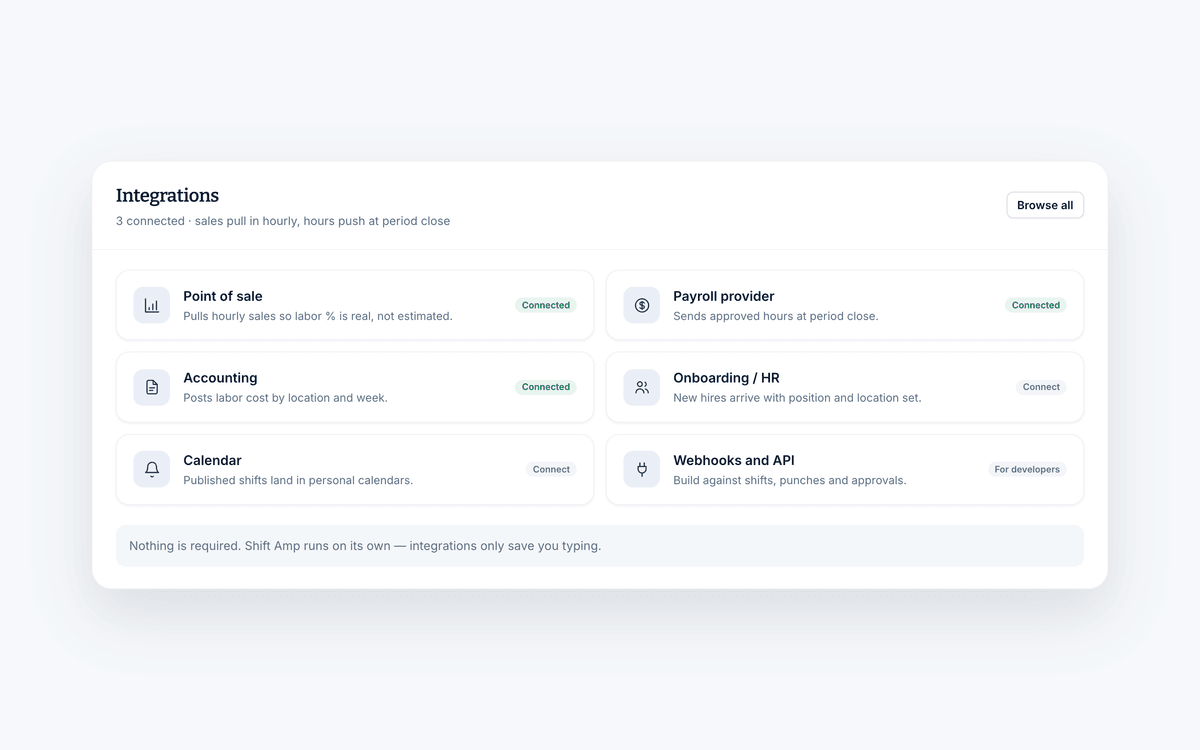
Connect the point of sale, payroll and HR systems your business depends on, so employee records, hours and sales stop being retyped from one screen into another.
Free for teams up to 10. No credit card required.
- Employee records stay in step
- Approved timesheets flow through to payroll
- Free for teams up to 10
What an integration does
Four jobs, none of them manual.
An integration is worth having when it removes a job someone was doing by hand. These are the four that come up most.
One employee record, everywhere
A new hire should be entered once. Everything downstream should find out on its own.
- Sync employees, positions, locations and wages
- Keep profiles and records current in both systems
- Add someone once instead of in three places
Why it helps
One platform, connected to the others.
Schedule employees
See who is available, who has worked recently, and who is needed when and where, without exporting anything first.
Track work time
Stop counting hours and tallying overtime by hand. Hours are broken down per employee and sent through to payroll.
Manage labor costs
Assess what labor is costing you against the sales it supported, and change the schedule before the next week starts.
The rest of the platform
What the connections feed.
The parts of Shift Amp that get better once your other systems are talking to it.
Employee scheduling
Build the week on a grid, publish it, and let the changes handle themselves.
Learn moreEmployee time clock
Accurate clock-ins and timesheets that are ready for payroll.
Learn moreLabor costs
See what a shift costs while you are still building it.
Learn moreMulti-location scheduling
Staff several sites from one schedule and compare them side by side.
Learn moreTeam communication
Messages, group chats and announcements next to the schedule.
Learn moreTask management
Assign the shift's work and see what actually got done.
Learn moreEmployee documents
Licenses, contracts and certifications, with alerts before they expire.
Learn moreEmployee breaks
Break rules applied to shifts automatically, with reminders on the floor.
Learn moreFAQ
Integrations, answered.
What does an integration actually do?
It moves data between Shift Amp and a system you already run, so nobody has to retype it. In practice that is usually employee records going in, approved timesheets going out, and sales data coming in to sit alongside labor cost.
Which systems can Shift Amp connect to?
The categories most shift businesses run on: point of sale, payroll, accounting, HR and onboarding, calendars, and single sign-on. If you want to check a specific system before you commit, get in touch and we will tell you where it stands.
Do I have to connect anything to get started?
No. Shift Amp works on its own, and plenty of teams never connect anything. Integrations are there to remove duplicate data entry once you have another system that holds the same information.
Will my employee list stay in sync?
That is the point of the employee sync. Names, positions, locations and wages stay current in both systems, so adding a new hire or changing a rate does not need doing twice.
Can I send timesheets to payroll?
Yes. Approved timesheets can be sent or exported to payroll, which removes the manual entry step that causes most payroll corrections.
Can I compare labor against sales?
Yes, once your point of sale is connected. You can view labor as a percentage of actual sales, and compare projected labor cost against what the period really cost.
What does it cost?
Teams of up to 10 are free, forever, integrations included. Past 10 people it is $2 per user, per month for the same platform.
Pricing
Connect everything, on any plan.
Every integration works on both plans. Free covers teams of up to 10, and it is $2 per user, per month above that.
Free
The whole platform for a team of up to 10 people.
- Every feature in Pro
- Up to 10 people
- Scheduling, time clock and labor costs
- Messaging, tasks and documents
- iOS and Android apps
- No credit card to start
Pro
The same platform once your team outgrows the free plan.
- Every feature in Free
- No cap on team size
- Multi-location scheduling
- Payroll-ready timesheets and reports
- 14-day free trial
- Pay for the seats you use
From the blog
Getting your systems to talk.
Writing on payroll, point of sale and the admin that disappears when they connect.
Exit Interview Questions: Everything To Ask
A hundred exit interview questions, a nine-step process for running one that gets honest answers, and what departing employees should expect.
December 17, 2024
Nursing Scheduler Job Description Examples
What a nursing scheduler actually does, three job descriptions for hospital, nursing home and clinic settings, and why software has not replaced the role.
December 10, 2024
How to Start an Event Planning Business: A Comprehensive Guide
Ten steps from market research to launch — choosing a niche, registering the business, pricing the work, and building the network the whole thing runs on.
December 6, 2024
Stop retyping the same data.
Start free and connect the systems you are already paying for.
Free for teams up to 10. No credit card required.