Change someone's role
Owners and operations administrators change roles on the person's record, under System role, and choose which locations a manager runs.
A person's role decides what they can do in Shift Amp, from Employee up to Organization owner. Organization owners can give anyone any role. Operations administrators can make people location managers, assistant managers or employees, but can't change an owner or another operations administrator. Location managers and assistant managers can't change roles, and nobody can change their own.
Before you start
- The person must have joined. Everyone joins as an Employee when they accept their invitation. Until then, System role says they have no account yet. See Invite your team to the app.
- A role isn't a position. A role is what someone may do in Shift Amp. Positions are the jobs they're scheduled for, and a new role doesn't change them.
Change the role
- In the left menu, select Organization, then People, then select the person's name.
- In the list of sections on their record, select Work & access, then scroll to System role.
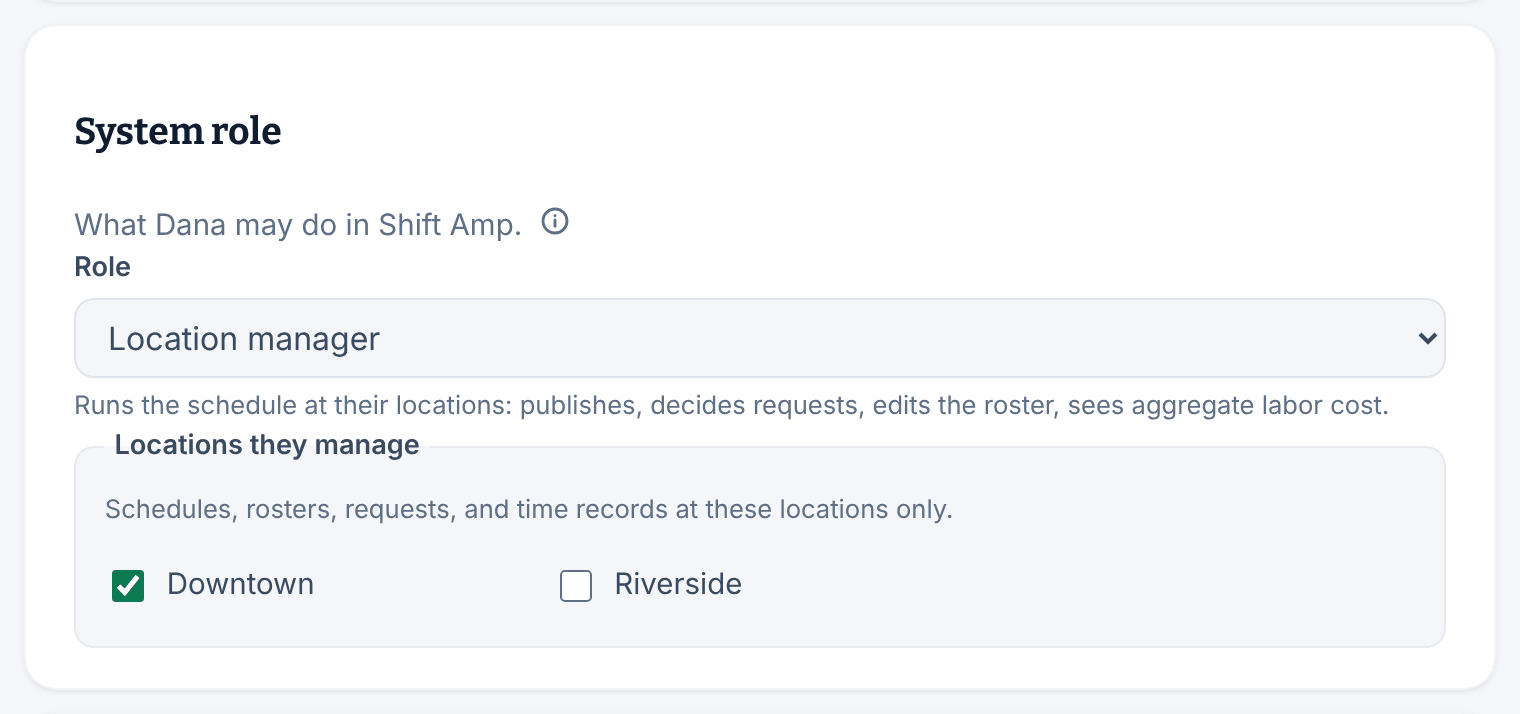
- Choose the new Role. The line under it says what the role can do.
- For Location manager or Assistant manager, tick at least one location under Locations they manage.
- Select Change access in the bar that appears.
- Read the confirmation, then select Change role.
The panel says "Role updated." and the change applies straight away. A manager who becomes an Employee loses the manager web app but keeps the employee app, their history and their place on the schedule.
Change the locations a manager runs
- On the manager's record, select Work & access, then scroll to System role.
- Tick or untick locations under Locations they manage.
- Select Change access.
- Read the confirmation, which lists the locations they gain and lose, then select Change locations.
If a location they lose has requests waiting, the confirmation says how many. Owners and operations administrators can still decide them. To let managers see other locations' schedules without managing them, see Let managers see other locations.
Make someone an owner, or hand over ownership
An organization can have more than one Organization owner, and only an owner can make someone an owner or an operations administrator.
To hand over your business, first make your successor an Organization owner. They can then change your role, since nobody changes their own. An organization's only owner can't be moved to another role until somebody else is an owner.
For what each role can see and do, see What each role can do.
Was this article helpful?