Request a copy or erasure of someone's data
The organization owner files the request in Settings, under Access & privacy. Shift Amp confirms by email before copying or erasing anything.
When an employee, a former employee or anyone else asks what Shift Amp holds about them, the organization owner can ask Shift Amp for a copy of it, or to erase it. You file the request in Settings, and Shift Amp carries it out after confirming with you by email. Only organization owners can file or cancel a request.
File a request
- Open the account menu at the bottom of the left menu (your name), then select Settings.
- Select Access & privacy.
- Under Requests about someone's data, select File a data request.
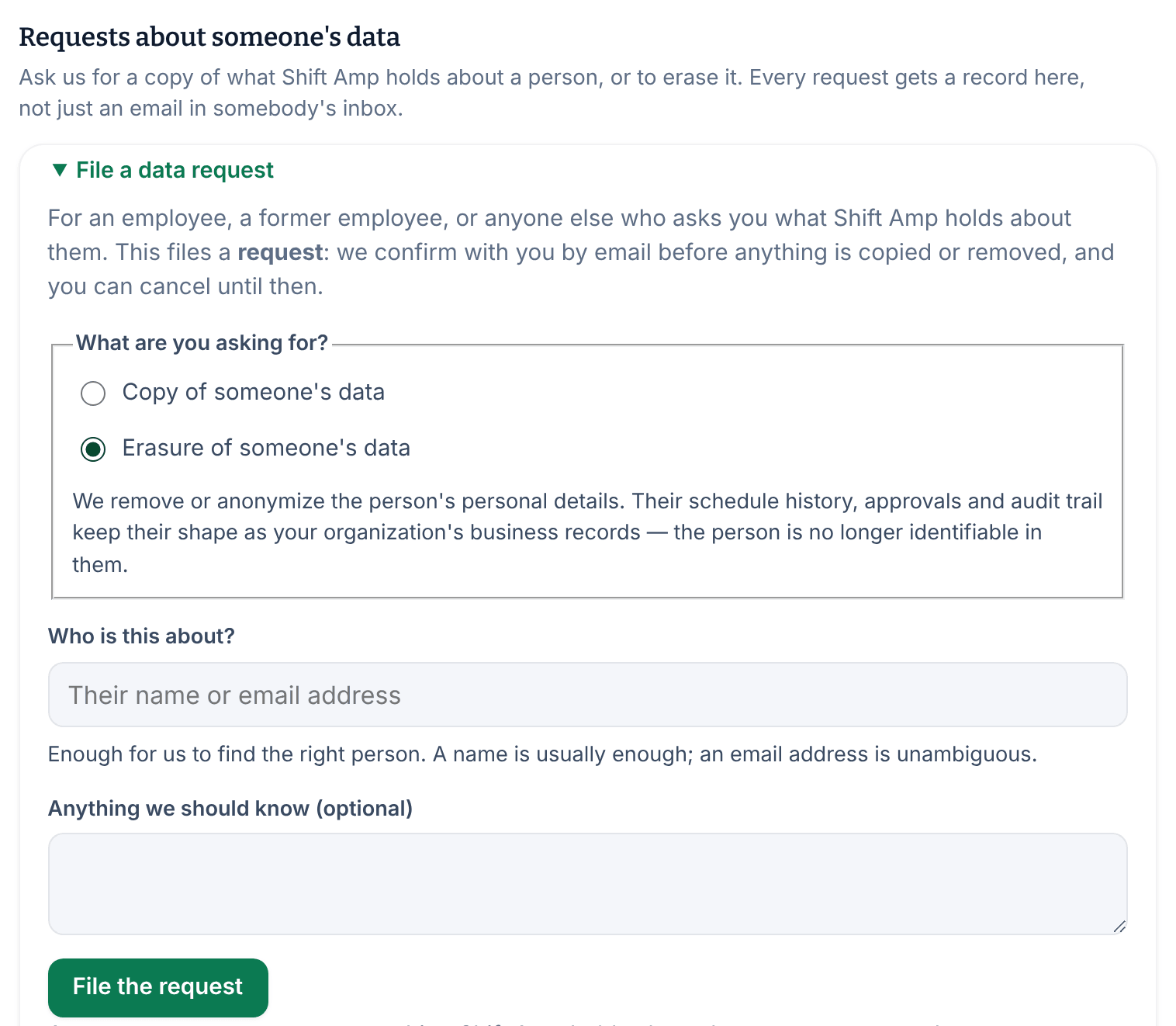
- Under What are you asking for?, choose Copy of someone's data or Erasure of someone's data.
- In Who is this about?, enter the person's name or email address. A name is usually enough; an email address is unambiguous.
- If you like, add details in Anything we should know (optional).
- Select File the request.
The section now shows the open request: what you asked for, who it's about and the date it was received. Shift Amp replies to the owner's account email to confirm the request before acting on it.
What each request does
- Copy of someone's data: Shift Amp gathers what it holds about the person and sends it to your account email. Nothing in your organization changes.
- Erasure of someone's data: Shift Amp removes or anonymizes the person's personal details. Their schedule history, approvals and audit trail stay as your organization's business records, but the person can no longer be identified in them.
Filing a request doesn't copy or remove anything by itself. Shift Amp acts only after it has confirmed the request with you by email.
Cancel a request
- In Settings, select Access & privacy.
- Under Requests about someone's data, select Cancel request.
The request is withdrawn, and File a data request is offered again. Canceling changes nothing else. You can cancel for as long as the request is open.
When someone leaves your team
- To take someone off your active team and keep their history, archive them. See Archive or restore someone.
- Anyone can close their own Shift Amp account. Their employee record stays with you. See Close your account.
Was this article helpful?