Close your account
Close it from Your account on the web. Your employer keeps your employee record, and an owner must hand over or close their organization first.
Closing your Shift Amp account removes your name, email address and password, and signs you out everywhere. It can't be undone. Your employer keeps your employee record and its history. You close your account on the web, in Your account. If you own an organization, you can't close your account until you've handed the organization over or closed it.
What closing does
Before you confirm, Your account lists exactly what will happen:
- Your name, email address and password are removed from Shift Amp, and the address is released, so it no longer signs in.
- You're signed out on every device.
- You leave every organization you belong to.
- Your employee record stays with your employer, still active, with its schedule and timesheet history. Your employer can invite you back to a new account.
- Records that say who published a schedule or approved a timesheet stop showing your name.
Because your employee record stays active, closing your account doesn't take you off your workplace's schedule. If you're leaving a job, tell your manager.
Close your account
- In a web browser, go to app.shiftamp.com and sign in if you need to.
- Open the account menu at the bottom of the left menu (your name) and select Your account.
- Under Close your account, read the list of what will happen.
- In the box below the list, type the email address you sign in with, exactly as the label above the box shows it.
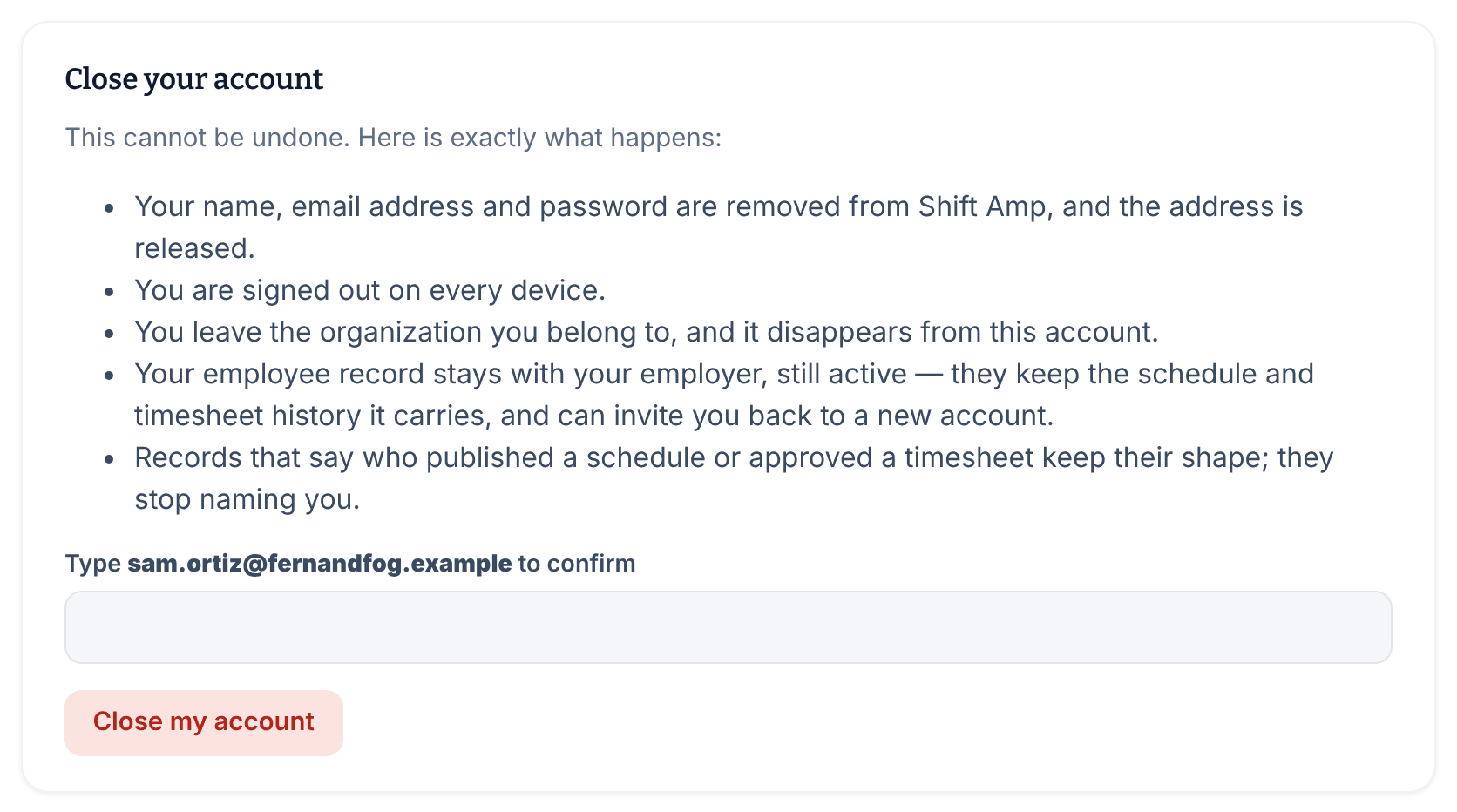
- Select Close my account, then select Close my account again to confirm.
The sign-in page then says "Your account is closed. Your email address has been released, so nothing here signs in any more. Thank you for using Shift Amp."
If the card instead says "Your organizations and workplace records have been detached, but we couldn't release your email address. Email support@shiftamp.com quoting this message and we'll finish it.", send that email. Shift Amp support finishes closing your account.
When you can't close yet
The Close your account card says what's in the way instead of offering the button.
- If you own an organization, first make someone else an Organization owner, then ask them to change your role, because nobody can change their own role. See Change someone's role. Or close the organization itself: see Close your organization.
- If Shift Amp has frozen one of your organizations, closing has to wait until it's running again. The card also says you can ask Shift Amp support to close your account for you instead.
- If the card says Shift Amp couldn't work out what closing would affect, reload the page.
In the app
The phone app has no button to close your account. Sign in on the web and follow the steps above. The app's Settings screen points you to Get help instead, which opens Shift Amp's support page in your browser.
Was this article helpful?