Choose how breaks count
Decide whether recorded breaks count toward worked time or are subtracted from it. Shift Amp never deducts a break nobody recorded.
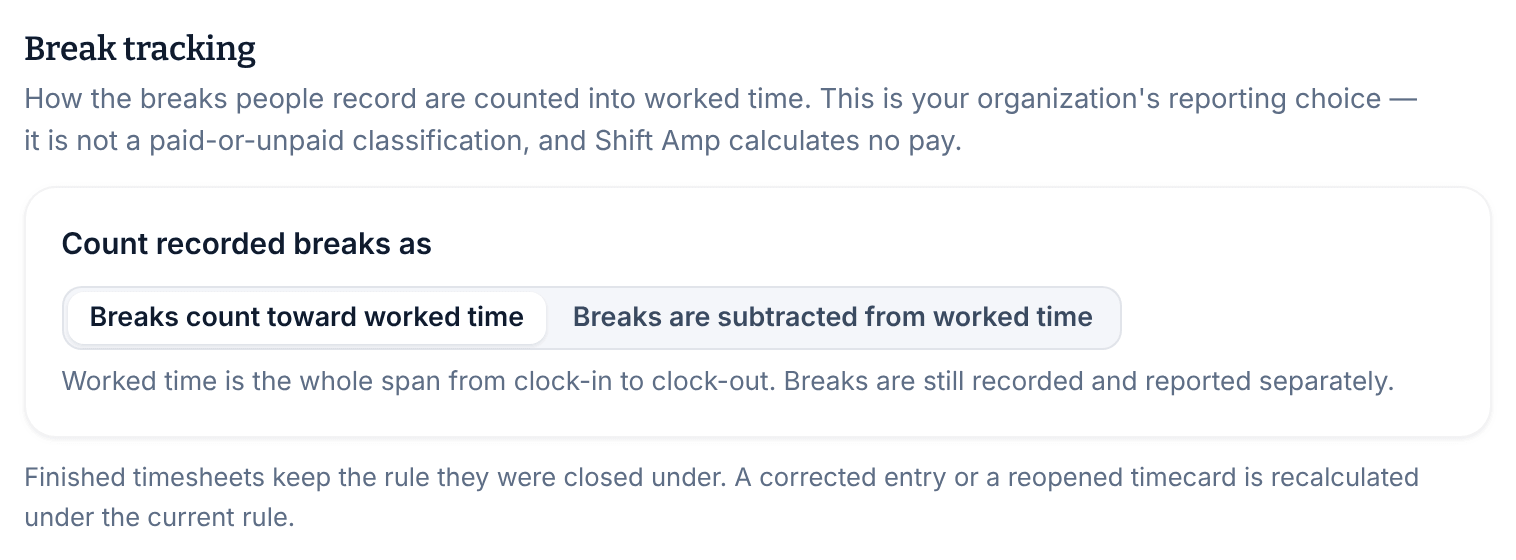
Owners and operations administrators choose how the breaks people record are counted into worked time, for everyone in the organization. It's a reporting choice, not a decision about whether breaks are paid: Shift Amp calculates no pay. Location managers and assistant managers can see the setting but can't change it.
The two choices
- Breaks count toward worked time (the default): worked time is the whole span from clock-in to clock-out. Breaks are still recorded and shown separately.
- Breaks are subtracted from worked time: worked time is the span minus the breaks people actually recorded.
For example, Sam clocked in at 5:58 AM and out at 2:41 PM, with a 30-minute break: 8h 43m in all. If breaks count toward worked time, Sam worked 8h 43m. If they're subtracted, Sam worked 8h 13m.
Change the setting
- Open the account menu at the bottom of the left menu (your name), select Settings, then select Time clock & timesheets.
- Under Break tracking, choose an option for Count recorded breaks as.
- Select Save policy.
- If a confirmation appears, read it, then select Save policy again.
When the change takes effect
- New clock-outs use the new rule right away, including for people clocked in now.
- Entries that are already finished keep the totals they were closed under.
- An entry a manager corrects later, or a timecard someone reopens, is recalculated under the rule in place at that time.
What Shift Amp never does with breaks
- It never deducts a break nobody recorded. Only breaks someone started and ended count. There's no automatic deduction and no break rule for any state or country.
- It never rounds punch times. A punch is kept at the moment it happened. Only a manager's correction or an automatic clock-out changes a recorded time, and both show on the timecard.
- A planned break on a shift never changes worked time. See Plan breaks in shifts.
To stop people recording breaks at all, an owner or operations administrator can turn off Track breaks. See Set your time clock rules.
Was this article helpful?