Record a sick callout or no-show
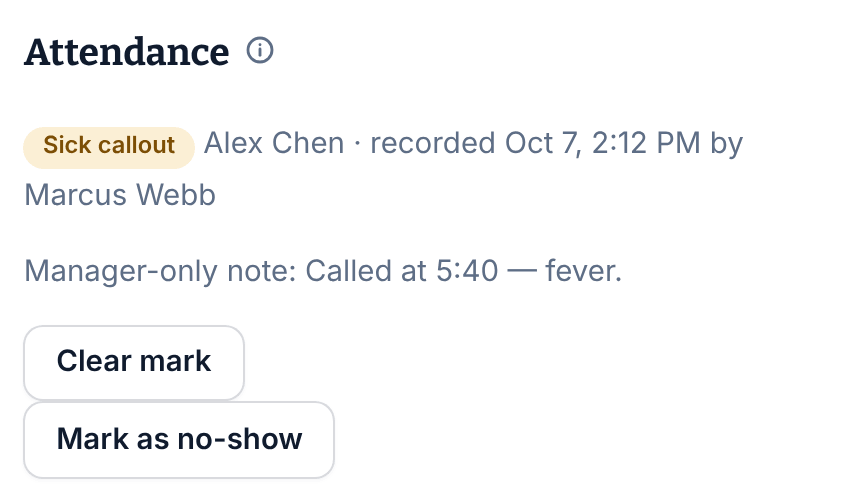
Mark it on the published shift under Attendance. The employee is told, the shift stays theirs until you find cover, and a mistake can be cleared.
When someone calls in sick or doesn't turn up, record it on their published shift. A mark is a record about the person on the shift: it doesn't take them off the shift, block a punch, or count toward any score. Owners, operations administrators and location managers can record marks at their locations. Assistant managers can't.
Mark the shift
- In the left menu, select Schedule, then go to the week.
- Select the shift. The Published shift panel opens.
- Under Attendance, select Mark as sick callout or Mark as no-show.
- If you like, add a Manager-only comment (optional). The employee never sees it.
- Select Mark as sick callout or Mark as no-show again to record it.
You can record a sick callout any time after the week is published. A no-show can only be recorded once the shift has started. Either way, someone has to be assigned to the shift.
What the employee sees
They get a Sick callout recorded or No-show recorded notification. On their schedule, the shift says, for example, "Sick callout — recorded Oct 7 by a manager. Questions? Ask your manager." They never see your comment.
Find cover
The mark doesn't change who's assigned, so the shift is still theirs until you change it. If the shift hasn't started yet, you can:
- Ask the team to cover it on their behalf. See Arrange cover for someone.
- Reassign it, or open it for claims, in a revision of the week. See Change a published week.
Clear a mark made by mistake
- Open the shift. The mark is under Attendance.
- Select Clear mark.
- Enter a Reason for clearing.
- Select Clear mark again.
The mark no longer shows on the shift, on the employee's schedule or in reports, but it isn't deleted: the record of who cleared it and why is kept. Nobody is notified.
Where marks show
Marks are counted in the Attendance report. See Review attendance. They don't show on the time clock board.
Was this article helpful?