Let your team swap and pick up shifts
In Settings, Coverage & swaps controls what employees can start in the app, who can trade with whom, and how long an offer waits for an answer.
These settings apply to your whole organization. Only organization owners and operations administrators can change them. Location managers and assistant managers see them read-only, marked On or Off. Whatever you choose, a manager still approves every change of hands: nothing is approved automatically, and nobody gets a shift by claiming first.
Open the settings
Open the account menu at the bottom of the left menu (your name), select Settings, then select Coverage & swaps.
Choose what your team can start
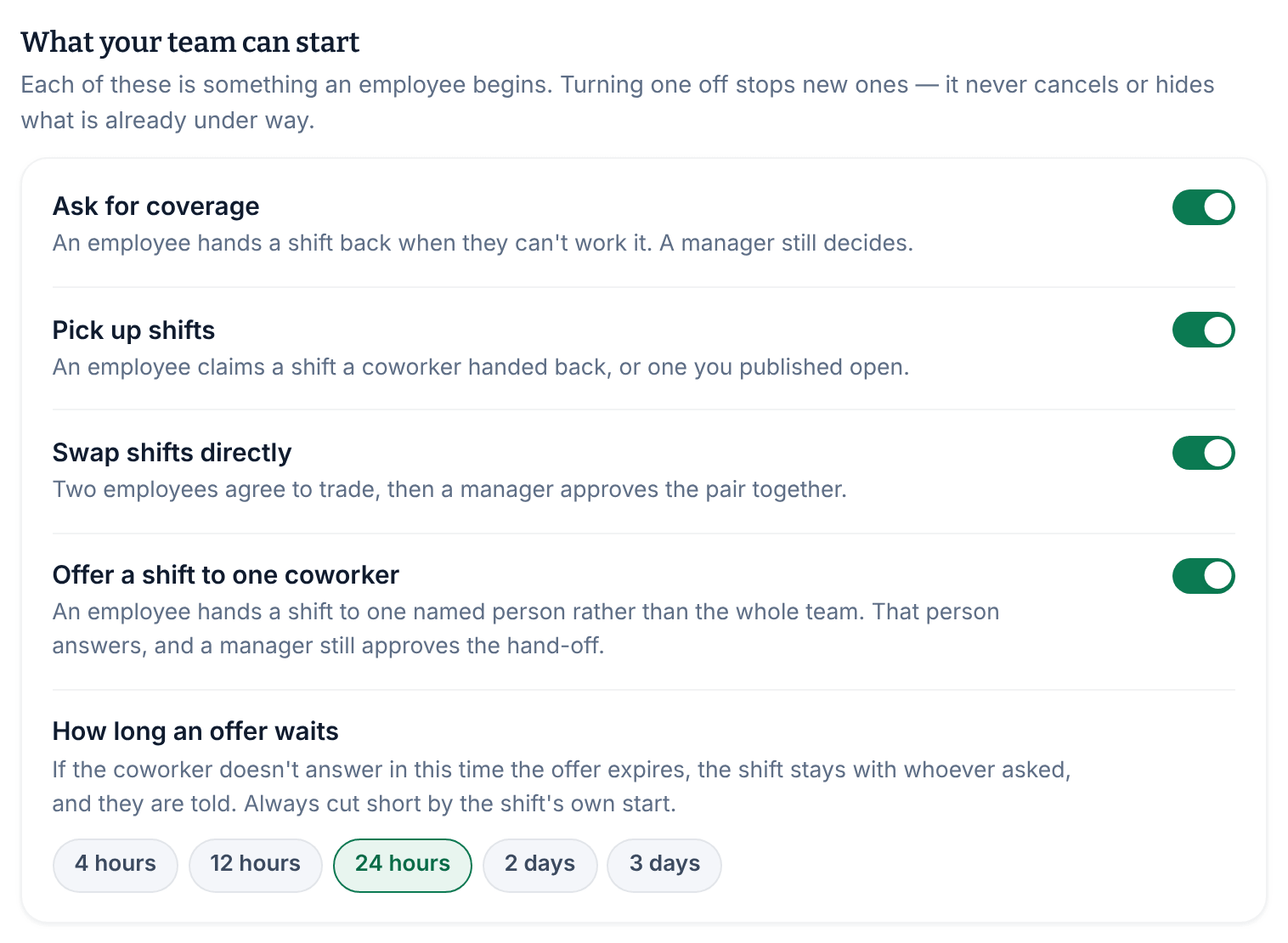
Under What your team can start, turn each one on or off. All four are on to begin with.
- Ask for coverage: an employee hands back a shift they can't work. It also controls Ask the team when a manager arranges cover for someone.
- Pick up shifts: an employee claims a shift a coworker handed back, or one you published open.
- Swap shifts directly: two employees agree to trade, then a manager approves the pair.
- Offer a shift to one coworker: an employee offers a shift to one named person, who answers before a manager approves.
While offers are on, How long an offer waits sets how long the coworker has to answer: from 4 hours to 3 days, with 24 hours to begin with. An offer always ends when its shift starts, even if there's time left.
Limit who can trade with whom
Under Who can exchange with whom, all three start off:
- Same location only: a swap's two shifts must be at the same location, and a shift can only be offered to someone whose home location it is.
- Same position only: a swap's two shifts must be for the same position.
- How far apart two swapped shifts may be: from 1 week to 60 days, or No limit.
These limits also shorten the lists of coworkers and shifts employees see in the app.
Save your changes
Select Save policy in the Unsaved changes bar. If you turned off something your team can start, you're asked to confirm: select Save policy again.
What your team sees
When you turn off Ask for coverage, Swap shifts directly or Offer a shift to one coworker, that option disappears from each shift's menu in the app. With all three off, shift cards say "Coverage is arranged by your manager here. Tell them if you can’t work this shift."
With Pick up shifts off, employees can't see or claim open shifts in the app. Any shift that's handed back then needs a manager to reassign it.
The Uncovered shift alerts group on the same page is explained in When nobody picks up a shift.
Was this article helpful?