When nobody picks up a shift
Shift Amp never fills a shift on its own. Unfilled shifts expire when they start, and managers can get an alert beforehand so there's time to step in.
An open shift or coverage request stays open for claims until the shift starts. Nothing is assigned automatically, even when someone has claimed it: a manager has to approve them. If nobody is approved before the shift starts, the request expires.
What "Expired" means
In Requests, under Coverage, a shift reads Expired once it has started without anyone approved. Nobody can claim it or approve a claim any more. It leaves the default Open view and the count beside Requests. To see these shifts, select Expired under Status.
Who has the shift then depends on what happened before:
- If nobody decided an employee's coverage request, the employee still has the shift and was expected to work it. You can still deny the request for the record: write a note, select Deny request, then confirm.
- If you used Approve & open shift, or it's an open shift you posted or a shift opened for time off, nobody is on it.
Swaps and shift offers whose shifts have started expire the same way, and leave the queue.
Uncovered shift alerts
When an employee's coverage request still has nobody approved close to the shift's start, Shift Amp sends one Unresolved coverage request notification. It goes to organization owners, operations administrators and location managers at the shift's location, but not to assistant managers. It says how many claims are waiting. On the web, selecting it opens the request.
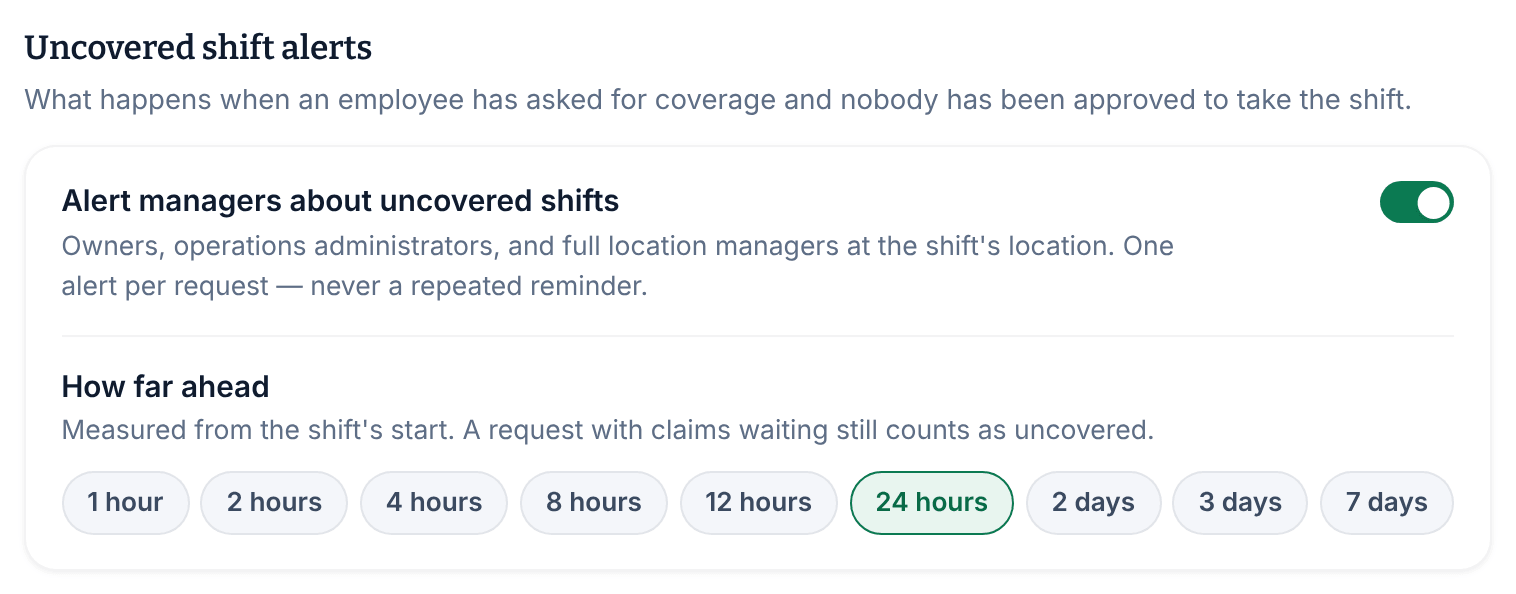
- The alert comes once the shift is within the How far ahead time, 24 hours by default. It's sent once per request, never repeated.
- A request with claims waiting still counts as uncovered.
- Requests a manager arranged for an employee count too, and so do requests you opened with Approve & open shift. Open shifts you post and shifts opened for time off never send an alert.
Owners and operations administrators set the alerts for everyone:
- Open the account menu at the bottom of the left menu (your name), select Settings, then select Coverage & swaps.
- Under Uncovered shift alerts, turn Alert managers about uncovered shifts on or off.
- Under How far ahead, choose how long before the shift the alert comes, from 1 hour to 7 days.
- Select Save policy.
Fill the shift before it starts
- Approve a waiting claim. A request with claims stays uncovered until a manager approves one.
- Reassign a coverage request. On a Released shift or a shift Opened for time off, use the reassign form to put someone on it directly. See Approve who covers a shift.
- Staff an open shift you posted. Open shifts can't be reassigned from Requests. Create a revision of the week, assign someone to the shift, and publish the revision. See Change a published week.
- Ask someone directly. A coworker who can work the shift sees it in the app and can claim it. Then approve their claim.
To check whether anyone can claim an open shift at all, look under Open-shift coverage in the Availability report. None eligible means nobody can, as things stand. See Check coverage and availability.
Was this article helpful?