See what's happening today
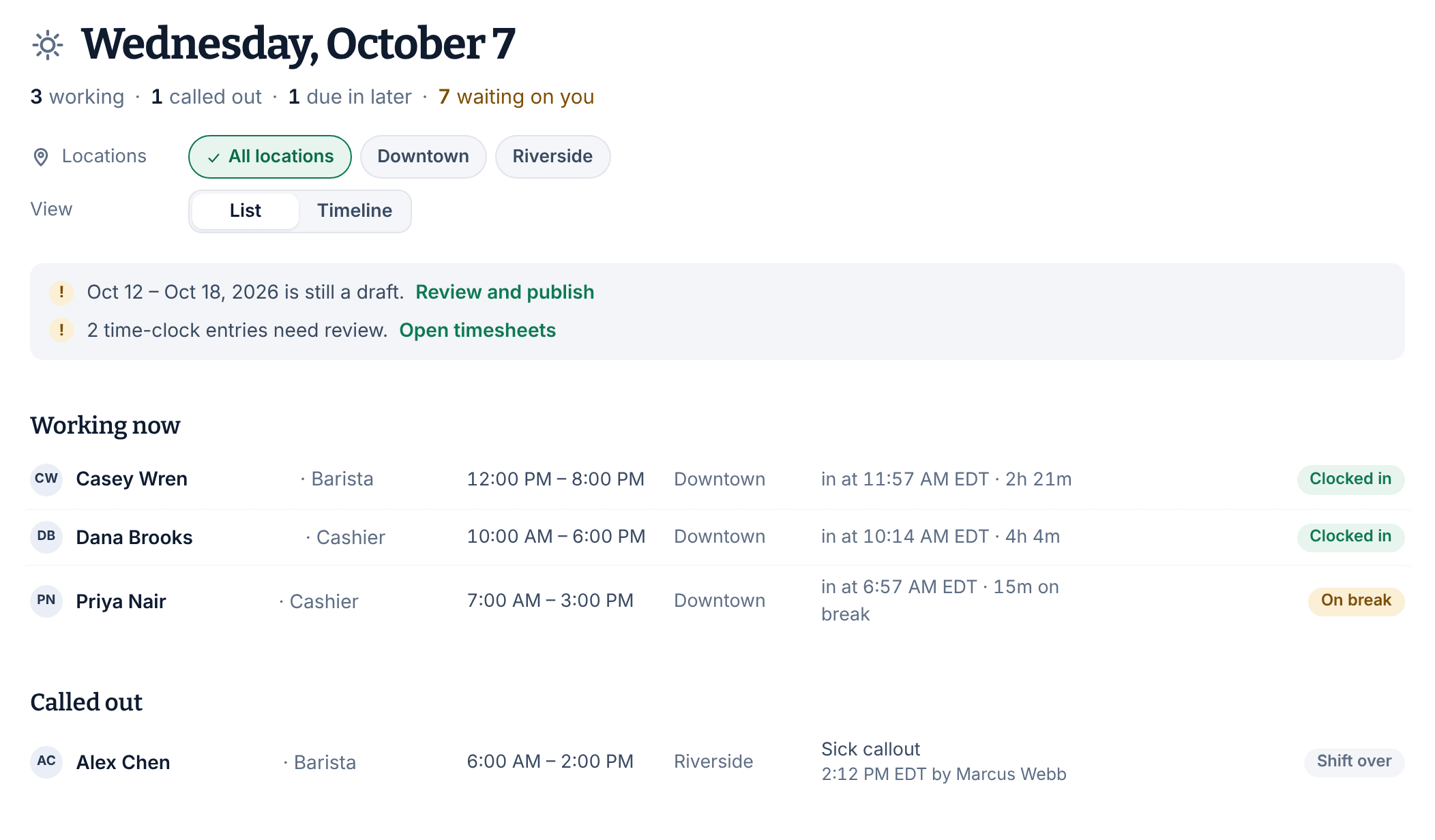
Today shows each location's day as it happens: who's working, who called out, who's due in later, and the requests waiting on you.
Today is the page Shift Amp opens on. It shows the day at the locations you manage as it happens: who's working, who called out, who's due in later, and what's waiting for your decision. Only published shifts appear. Nothing is approved or changed from this page, and it updates itself every minute.
Read the top of the page
Under the date, a line sums up the day, for example "3 working · 1 called out · 1 due in later · 7 waiting on you". Select any part of it to jump to that section. Assistant managers don't see callouts.
- If you see more than one location, select one under Locations to see only that location, or All locations to see them all.
- Under View, choose List or Timeline. Timeline draws each shift across the hours of the day, with a dashed line at the current time.
When something needs a second look, a band below lists it with a link: a week covering today or the next seven days that's still a draft (Review and publish), time-clock entries that need review (Open timesheets), or, if your workplace asks people to confirm their shifts, shifts not yet accepted (See the week).
Working now
Everyone whose shift is running, with a badge: Clocked in, On break, or "No clock-in" with how long the shift has been running. "No clock-in" changes to a warning color once the shift is past your late threshold. Nobody assigned is an open shift running with nobody on it. Select a row to open the shift on the schedule.
Called out
Sick callouts and no-shows recorded today, with who recorded them and when. An Uncovered shift has Find cover, which opens the shift on the schedule. See Record a sick callout or no-show.
Due in later
Shifts still to start today, split into the next two hours and the rest of the day. Badges flag open shifts with claims waiting or no claims yet. Once the day's last shift has started, Tomorrow’s schedule opens tomorrow on the schedule.
Waiting on you
Requests waiting for a decision, grouped into coverage, availability and time off. Each group shows up to three. When there are more, a link opens the full list in Requests. They're sorted by the date each one affects, soonest first, not by when they were sent. Anything that affects a shift in the next 48 hours is highlighted.
Select a request to open it and decide. See Work through requests waiting on you.
Who's off today
At the bottom of the page, a closed line counts who's on approved time off today. Select it to see each person's time off. The line is hidden when nobody is off.
Which day is today
Each location uses its own date and time zone, the same way the schedule does. If your locations are in different time zones, the page says so under the date.
Was this article helpful?