Track paid time off
The Paid time off report shows PTO balances, the PTO used in a date range, how requests were decided, and an estimate of its base-wage cost.
The Paid time off report shows where everyone's PTO stands. Owners and operations administrators see the whole organization, and location managers see the people at their locations. Assistant managers don't have this report.
The report needs PTO tracking switched on. Until it is, the page reads "PTO isn’t switched on yet" and offers a PTO settings button. See Set up paid time off.
Open the report
- In the left menu, select Reports.
- In the list of reports, select Paid time off.
- Choose the dates and, if you like, a Location.
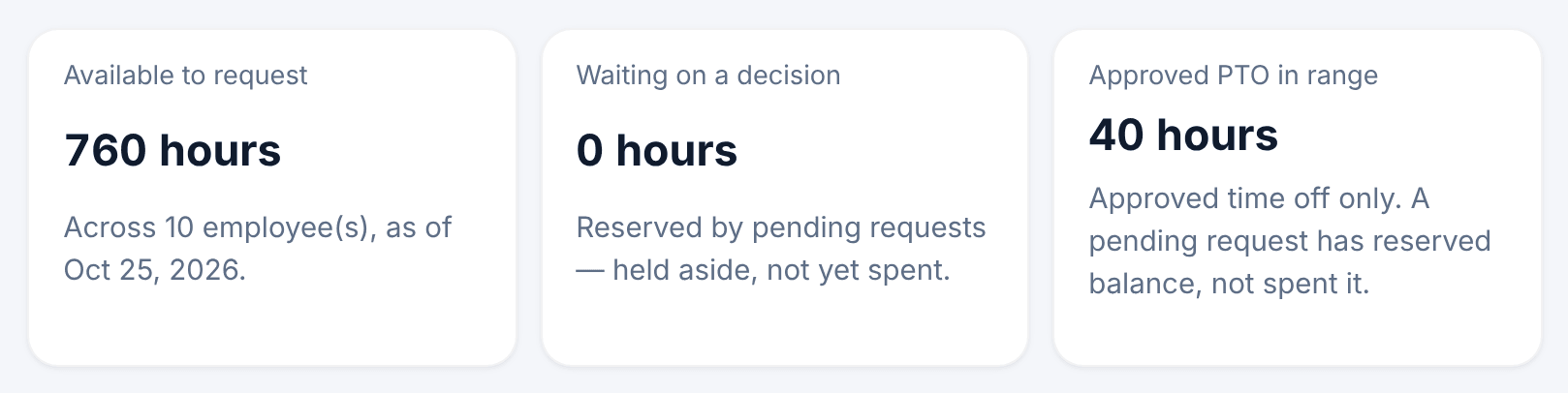
The cards at the top total the PTO that's Available to request, what's Waiting on a decision, and the Approved PTO in range. If anyone has no balance yet, Balances not yet set up counts them.
Balances
The first table shows each person's balance on the last day of your range: their allowance, what they've used, what's pending and what remains.
Available can be less than Remaining (minutes), because time in pending requests is held aside until each request is decided. If a balance is missing, the Setup issue column says why, for example Hire date missing.
Usage and request outcomes
- Usage in range lists approved PTO by date and person. Days that time off covered without charging a balance are shown in their own column.
- Request outcomes counts requests by type: Approved, Denied, Cancelled and Adjustments. It never shows why anyone was away.
Estimated cost
Estimated PTO base-wage cost prices approved PTO at each person's rate for that day. Like all labor cost in Shift Amp, it covers base wages only. A salaried person's PTO adds nothing, because their salary already covers it. Location managers see totals for their locations, without any figure that stands for one person.
Download the tables
Each table has its own Columns menu and its own Export CSV. The file holds what the table shows.
Was this article helpful?