Ask your team to confirm shifts
Turn on shift acceptance in Settings, and each published shift shows whether its employee has accepted, declined or not answered yet.
You can ask employees to confirm each shift you publish. They answer in the Shift Amp app, and the schedule shows who has accepted, declined or not answered yet. It's off until an owner or operations administrator turns it on. Answers are for your information only: they never stop you publishing, and a declined shift stays assigned until you change it.
Turn on shift acceptance
- Open the account menu at the bottom of the left menu (your name), select Settings, then select Scheduling.
- Under Shift acceptance, for Employees confirm their published shifts, select Asked.
- Select Save policy, then select Save policy again to confirm.
From then on, every published shift shows whether its employee has answered, including weeks you've already published. Location managers and assistant managers can see this setting but can't change it. To stop asking, choose Not asked and save.
What employees see
In the app, each upcoming shift on the Schedule tab (the calendar icon) says "Your manager asks everyone to confirm their shifts." Employees select Yes, I’ll be there or I can’t work it, and they can change their answer until the shift starts. They aren't sent a notification asking them to answer, so let your team know you've turned this on.
See who has answered
On the Schedule, each published shift with someone on it shows "✓ Accepted", "✗ Declined" or "… Not answered". Below the week, Shift acceptance lists every shift that's still declined or not answered, with declines first. Once everyone has answered, it says so. Employees can answer only shifts that haven't started, so a shift that starts before anyone answers stays "… Not answered".
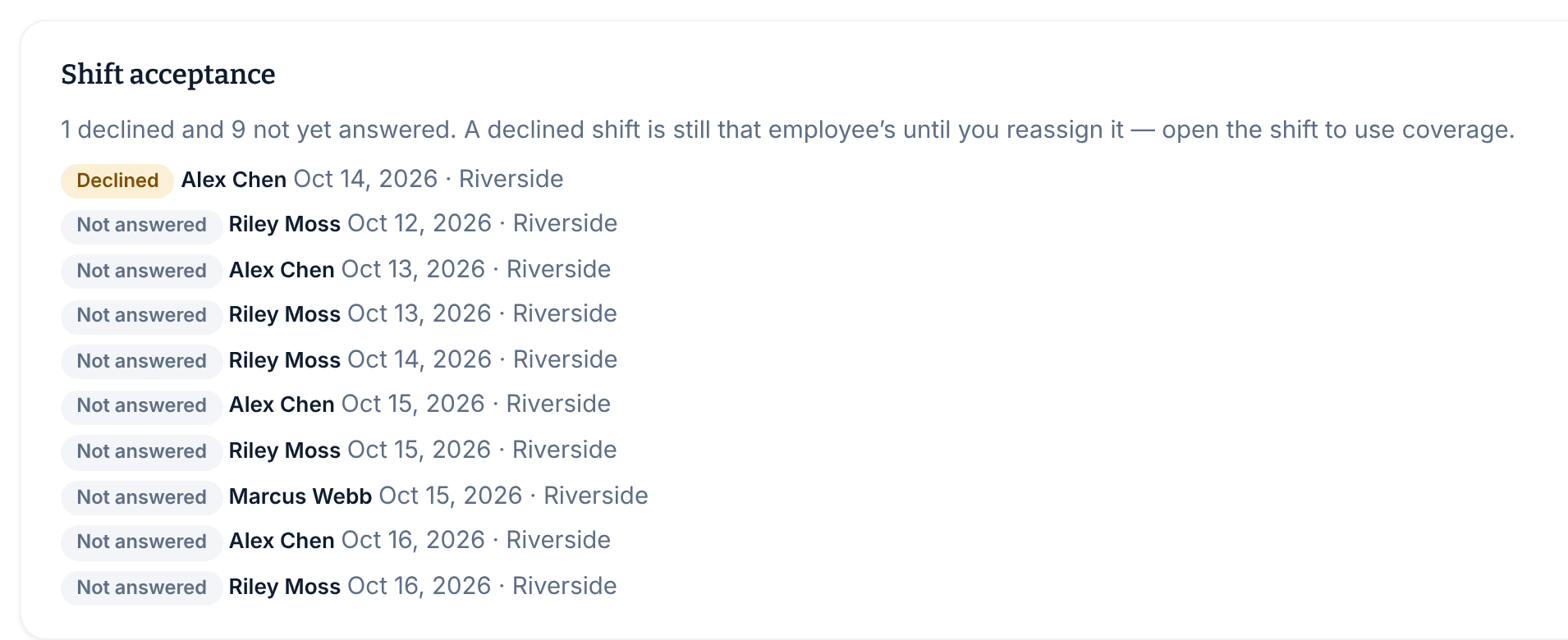
If a shift changes hands, the new person is asked again. Publishing a revision starts over too: every shift at that location that week goes back to "… Not answered", including shifts you didn't change.
When someone declines
Owners, operations administrators, and the managers and assistant managers of that location get a Shift declined notification, such as "Alex Chen can't work their shift Wed, Oct 14, 6:00 AM – 2:00 PM at Riverside. It's still assigned to them until you reassign it."
Talk to them first. To find someone else for the shift, see Arrange cover for someone, or change the shift in a revision: see Change a published week.
Was this article helpful?