Print or export the schedule
On the schedule, select Export or print, choose a posting copy or a manager copy, then print the week or download it as a CSV file.
You can print any week, or download it as a CSV file, for the locations you schedule. All four manager roles can do this. Choose a posting copy to put up for your team, or a manager copy with the details only managers see.
Print the week
- In the left menu, select Schedule, then go to the week.
- To include only some locations or positions, use Filters (the funnel icon). Only the Locations, Positions and Time of day filters carry over to the printout or file.
- Select Export or print. It's an icon at the top right, and its name shows when you point at it.
- Under Which copy is this?, choose one:
- Posting copy — what employees see, to put up or hand out. A hidden end time reads "End time varies", and manager notes are left out.
- Manager copy — includes hidden end times and manager notes, for your own use only.
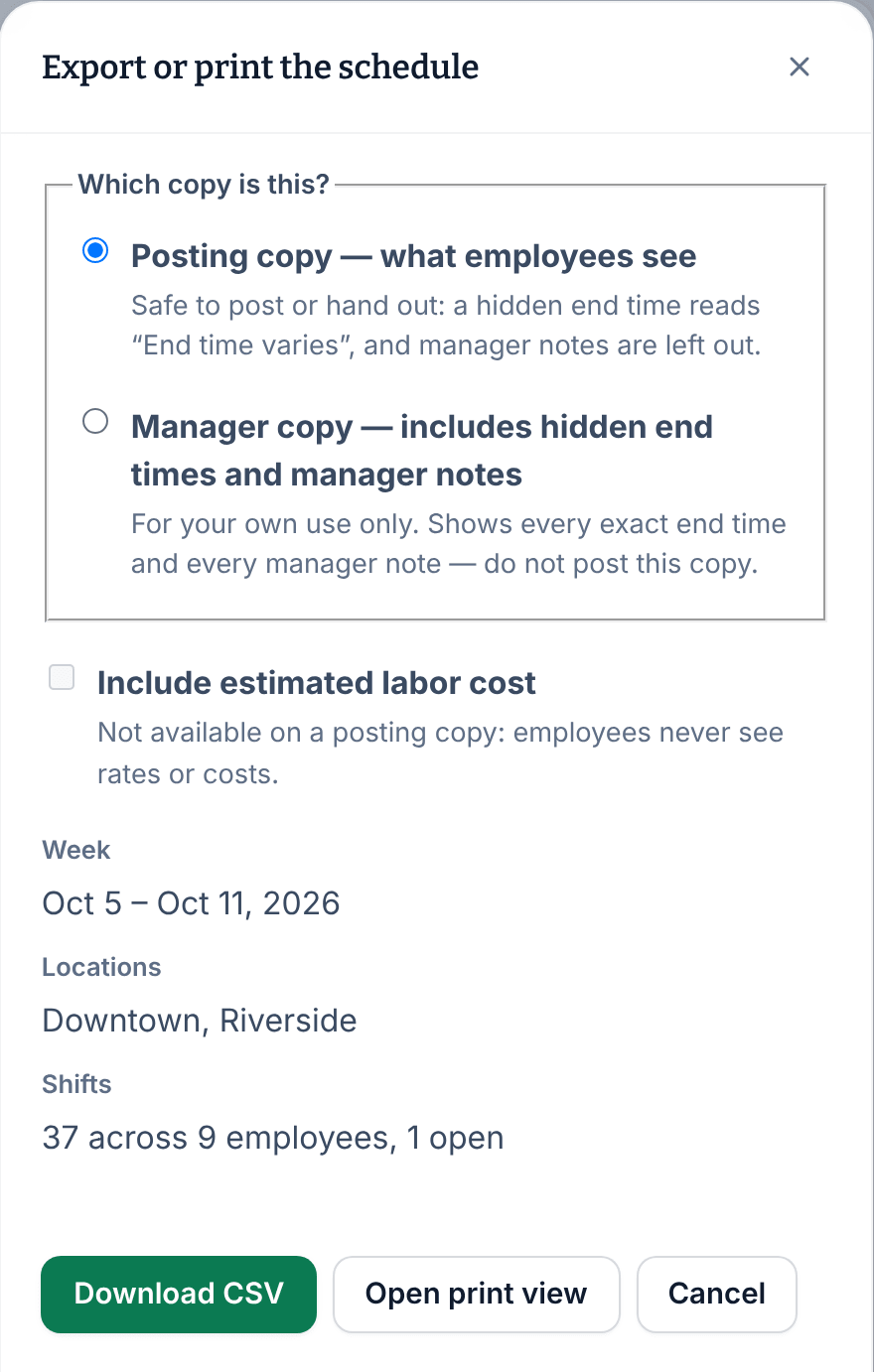
- Select Open print view.
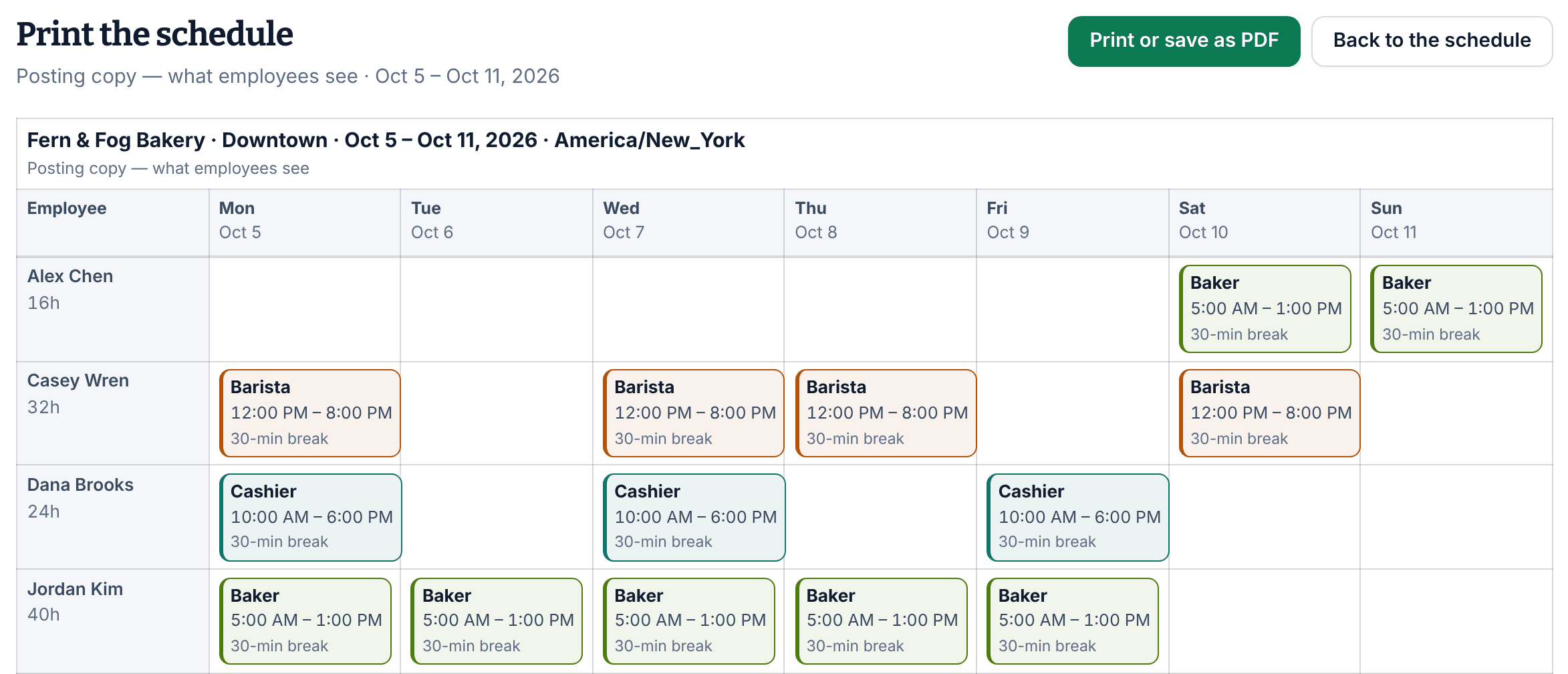
- Select Print or save as PDF, then print or save the file from your browser's print window.
Each location prints on its own page, in its own time zone. Only people with shifts that week are listed, with their hours for the week, and open or unassigned shifts have a row of their own. To leave the print view, select Back to the schedule.
Download a CSV file
Follow steps 1 to 4, then select Download CSV. The file has one row per shift, with its location, time zone, date, position, employee, start and end times, hours, planned break, whether it's open or published, and its instructions. A manager copy adds manager notes.
Add estimated labor cost
On a manager copy, owners and operations administrators can also select Include estimated labor cost before printing or downloading. The print view then shows the estimated cost of each shift and each day, and the file also gives the week's total. It's an estimate of base wages, not pay. See See estimated labor cost.
Printing and downloading change nothing and notify nobody.
Was this article helpful?