Change your sign-in email
In Your account on the web, enter the new address and select Change email. It takes effect once you open the links sent to both your old and new address.
Your sign-in email is the address you use to sign in to Shift Amp, on the web and in the app. You change it yourself in Your account on the web. Nothing changes until you confirm from both your current address and the new one, so a typo can't lock you out.
Your sign-in email is separate from the contact email your employer keeps on your employee record. Changing one doesn't change the other, so ask your manager if your contact email needs updating too.
Change your sign-in email
The phone app has no screen for this, so use a web browser. Employees can sign in on the web too.
- Open the account menu at the bottom of the left menu (your name) and select Your account.
- Under Sign-in email, enter your new address in New sign-in email.
- Select Change email.
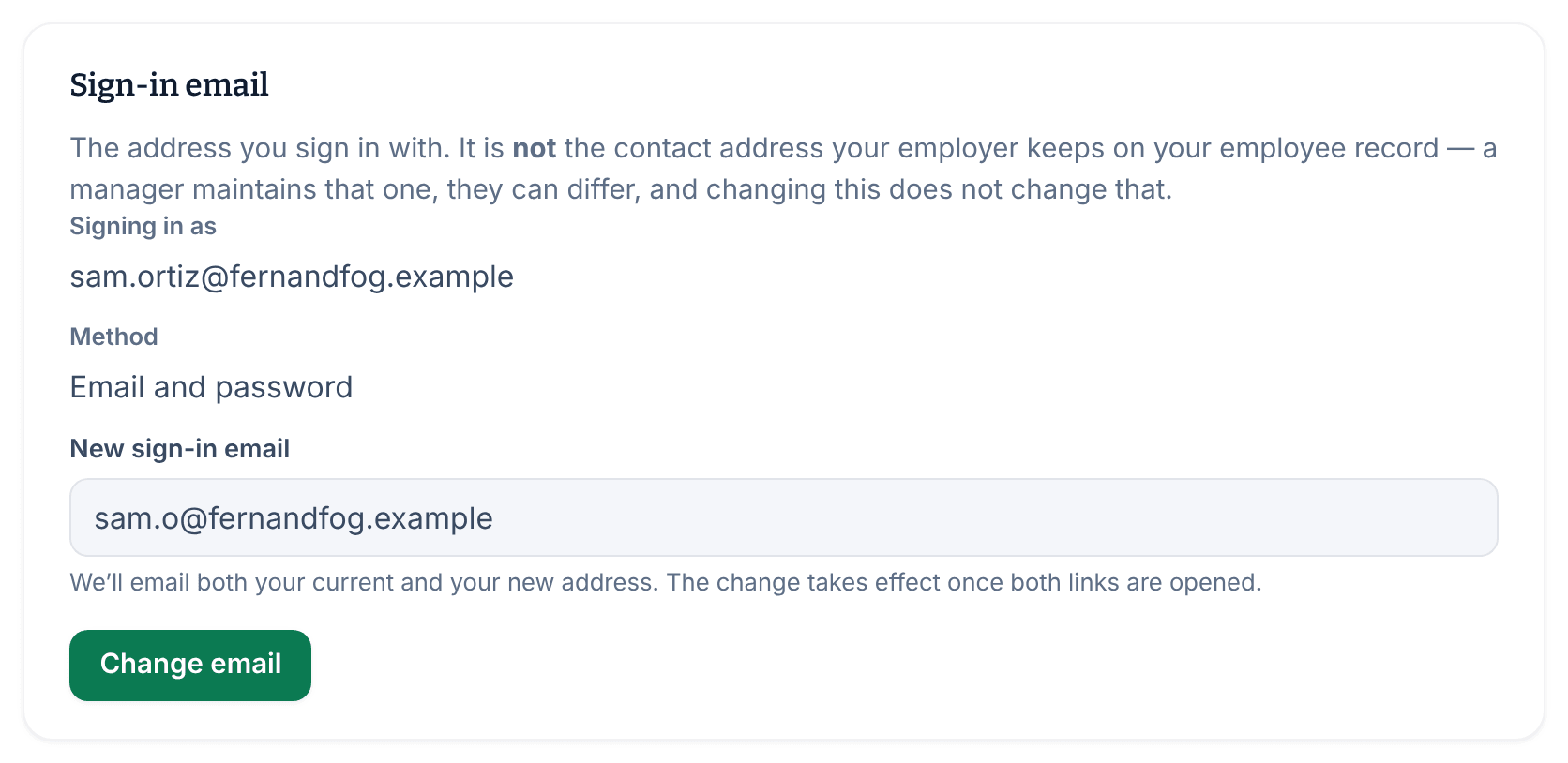
Shift Amp sends a confirmation email to your current address and another to your new address.
Confirm the change from both addresses
- Open the email Shift Amp sent to your current address, and select the link in it.
- Open the email sent to your new address, and select the link in it.
Until you've opened both links, you still sign in with your current address, and Your account shows that the change is waiting for confirmation. Once both are opened, use your new address the next time you sign in, on the web or in the app.
If the change doesn't go through
- "That is already your sign-in email." You entered the address you already use.
- "Another Shift Amp account already uses that address." You can't move to an address that another account uses.
- If you're told too many emails were requested, wait a few minutes, then try again.
- If you entered the wrong address, enter the right one and select Change email again. It replaces the change that's waiting.
- If a confirmation link has expired, start again from the first step.
To change your password instead, see Reset your password.
Was this article helpful?