Export timesheets
From Timesheets, download the table on screen as a CSV file, or a punch-level record of one week's approved time. Neither is a payroll export.
You can download timesheets as a CSV file in two ways: exactly the table you see, or a detailed record of one week's entries. Owners, operations administrators and location managers can export. Location managers get only their own locations' rows. Assistant managers don't see Export.
Download the view on screen
- In the left menu, select Time, then Timesheets.
- Set up the table the way you want the file: the week (or a range with From, To and Apply range, or Current pay period), the filters, Group by, and the columns under Columns.
- Select Export, then Download this view (CSV).
The file matches the table: the same rows, grouping and ticked columns, in the same order. Durations use the format you chose in your preferences. Time that isn't approved yet is included, and the totals row is left out.
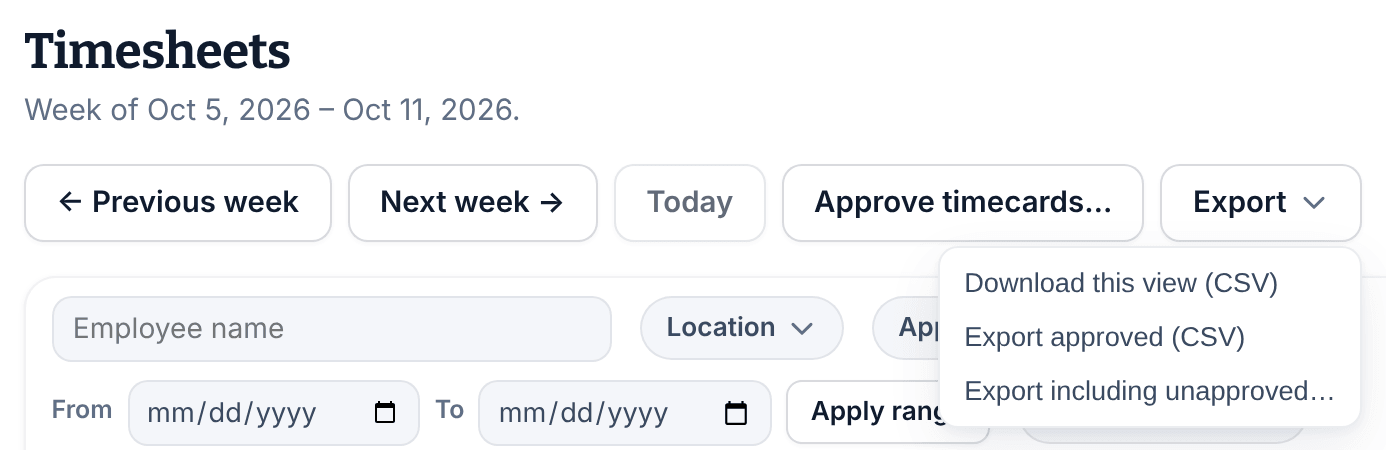
Download a week's punch-level record
- On Timesheets, go to the week with ← Previous week or Next week →.
- Select Export, then choose:
- Export approved (CSV) for approved timecards only, or
- Export including unapproved…, then Yes, include unapproved records, to add weeks that aren't approved yet. Their time can still change.
This file always covers one week, even when a date range or pay period is on screen. It has one row per time entry: clock-in and clock-out in UTC beside each entry's time zone, and gross, break and worked minutes. Its columns are fixed, whatever you've chosen on screen, and it never includes notes, pay or costs.
If a download doesn't work
A page reading "The download didn’t work" says what went wrong. Select Go back, then try again from the page.
Was this article helpful?