Review reported messages
Owners and operations administrators find reports under Requests, mark each one read, and can hide a reported message from everyone.
When someone reports a message, it waits for your organization's owners and operations administrators under Requests. Reporting hides the message only from the person who reported it: everyone else still sees it until it's removed. Location managers, assistant managers and employees can report messages, but only owners and operations administrators review reports.
Find reported messages
- In the left menu, select Requests.
- Select Reported messages.
The number beside Reported messages counts the reports nobody has marked read yet, and it's included in the number beside Requests. Nobody gets a notification or an email when a message is reported, so keep an eye on this count.
Reports are listed under Unread, then Read. Each one says who sent the message and where, quotes it, and says who reported it and when.
Review a report
- Select the report.
- Read the message under The message. It's shown as it was when it was reported, even if it was edited or removed later.
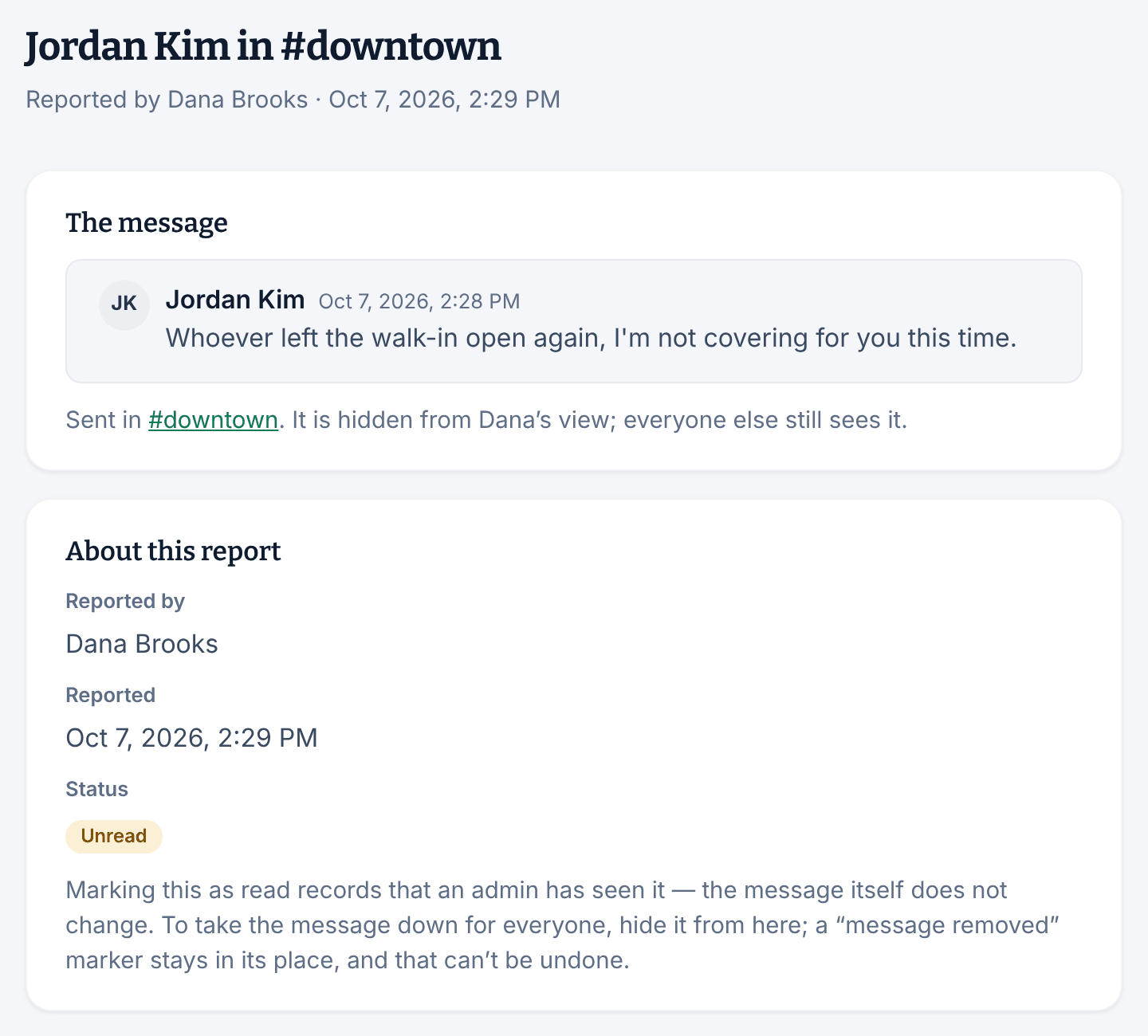
- Select Mark as read at the top right to record that you've seen it.
Marking a report read changes nothing about the message. The report then shows who marked it read.
If the message was sent in a channel, or in a group you're in, the report links to the conversation. You can't open other people's direct messages or groups, so the report carries its own copy of the message.
Hide a message from everyone
- On the report, select Hide from everyone.
- Select Hide from everyone again to confirm.
Everyone in the conversation now sees "Message removed by a manager" in its place. The report keeps the words as they were reported, and it's marked read. This works in direct messages too, so it's how you take down a message in a conversation you can't open.
While messaging is turned off, you can still read reports and mark them read, but you can't hide a message until messaging is back on.
If you can't see Reported messages
Only owners and operations administrators have this queue. Location managers and assistant managers can report a message, but they don't see reports. See Edit, delete, or report a message.
Was this article helpful?