What each role can do
Five roles decide what each person can see and change: Organization owner, Operations administrator, Location manager, Assistant manager and Employee.
Everyone in Shift Amp has one role. It decides what they can see and change, and for location managers and assistant managers, at which locations. To check your own role, select your name at the bottom of the left menu: the menu shows your organization and role, for example "Fern & Fog Bakery · Assistant manager".
Organization owner
- Can do everything an operations administrator can, at every location.
- Is the only role with Billing, closing the organization, and asking Shift Amp for a copy or erasure of someone's data.
- Can give anyone any role. An organization can have more than one owner.
Operations administrator
- Runs everything operational at every location: schedules, every kind of request, timesheets, people, positions, locations, kiosks, groups, pay rates, reports and payroll exports.
- Changes organization settings (except Billing) and reads the audit log.
- Can make people location managers, assistant managers or employees, but can't change an owner or another operations administrator.
Location manager
At the locations they manage, a location manager:
- builds and publishes the schedule;
- approves claims, coverage requests and shift offers, and swaps when both shifts are at their locations;
- decides time off and availability for people who work only at their locations;
- adds and invites people, corrects time and approves timesheets;
- sees labor cost totals, if your organization allows it.
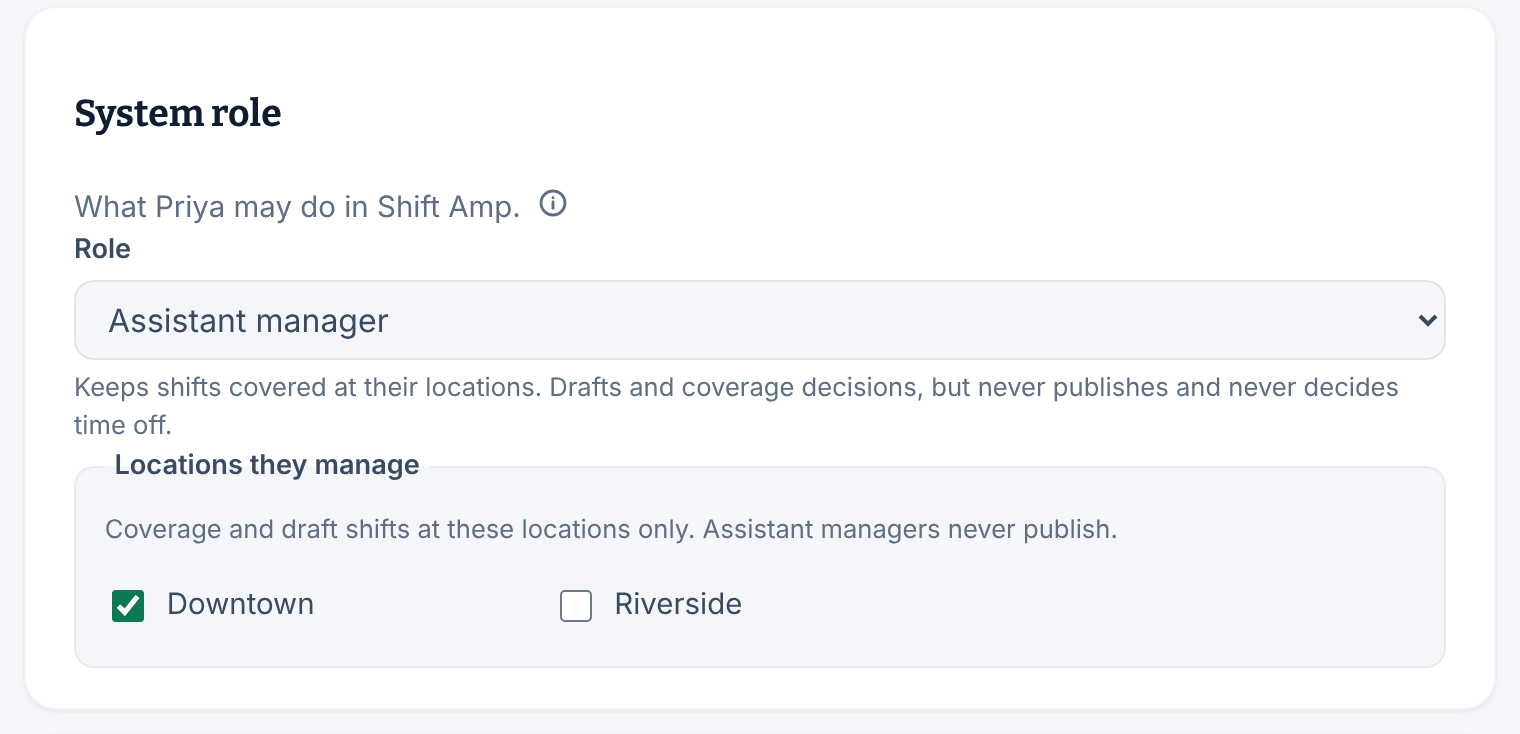
Assistant manager
At the locations they manage, an assistant manager keeps shifts covered:
- builds draft shifts, but never publishes;
- approves claims, coverage requests and shift offers, and arranges cover;
- views people, timesheets, and time-off and availability requests, without changing them.
They can't decide swaps, time off or availability, correct time, or see pay rates or labor cost.
Employee
- Uses the Shift Amp app for their own shifts, the team schedule, coverage, swaps, time off, availability, the time clock, messages and the wiki.
- On the web, sees only Today, their own schedule and the time clock.
- Never sees drafts, other people's requests, or any pay figure.
Rules for every role
- Nobody decides a request about their own shifts or time. Another manager has to.
- Only owners and operations administrators change organization settings. Location managers and assistant managers can view some of them.
- Location managers and assistant managers act only at the locations ticked under Locations they manage on their record. If your organization turns on the cross-location view, they can also view other locations' schedules, but not change them.
- Managers who also work shifts use the app like anyone else for their own shifts, requests and time.
Who sets roles
Owners and operations administrators set each person's role on their record, under Work & access, in System role. Everyone you invite joins as an employee when they accept their invitation, and you can change their role after that.
Was this article helpful?