Work through requests waiting on you
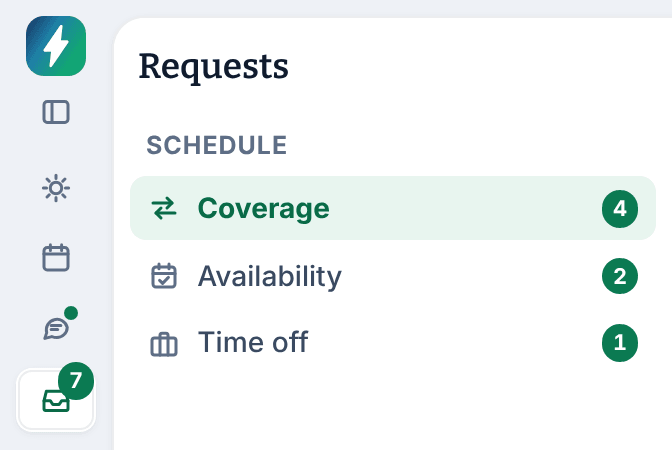
Requests in the left menu collects the coverage, availability and time-off requests a manager decides. The number beside it is how many are waiting.
Everything your team asks a manager to decide comes together under Requests in the left menu, in three queues: coverage, availability and time off. The number beside Requests is how many are waiting. Assistant managers can decide claims, coverage requests and shift offers, but not swaps, time off or availability.
Open the queues
- In the left menu, select Requests. The Coverage queue opens.
- To switch queues, select Coverage, Availability or Time off. Each shows its own count.
- Coverage lists shifts employees asked someone to cover, open shifts and their claims, and shifts opened when time off was approved. Below the table, Direct swaps and Shift offers list trades between coworkers. You decide one once the coworker has accepted it.
- Availability lists new weekly availability, with one-day changes under Date exceptions.
- Time off lists time-off requests.
Each queue opens on what's still waiting. To see decided requests, change the Status filter. Owners and operations administrators also have Reported messages: see Review reported messages.
What the count means
The number beside Requests adds up the queues:
- Coverage: open requests and open shifts whose shift hasn't started, plus swaps and offers the coworker has already accepted. A swap or offer still waiting for the coworker's answer isn't counted.
- Availability: weekly changes and one-day changes waiting for a decision.
- Time off: requests waiting for a decision.
- For owners and operations administrators, reported messages nobody has marked read.
The count covers the requests you can see, not only the ones you can decide. For example, an assistant manager's count includes time-off requests at their locations, which a location manager or above decides. The number disappears when nothing is waiting, and shows "99+" above 99.
Decide the soonest shift first
A coverage request or open shift can only be filled until its shift starts. After that it expires: nobody can claim it or approve a claim. So work from the soonest shift, not the newest request.
Today's Waiting on you list does this for you. It sorts every request by the date it affects, soonest first, and highlights anything in the next 48 hours. Start there, or check the Shift dates in Coverage.
Decide time off before you build or publish the weeks it covers. A shift scheduled over approved time off is flagged on the schedule, but a pending request isn't.
Decide a request
Select a request to open its review page. What you can do depends on the request:
- Approve who covers a shift
- Approve swaps and shift offers
- Approve availability changes
- Approve or deny time off
Nobody decides a request about their own shifts or time; another manager does. A location manager decides time off and availability only for people who work only at their locations, and swaps only when both shifts are there. If a request isn't yours to decide, Shift Amp says so on its review page.
What you're notified about
You get a notification when someone claims a shift (Coverage claim to review) or a coworker accepts a swap or shift offer (Shift swap to review, Shift offer to review). Owners, operations administrators and location managers also get Unresolved coverage request when an employee's coverage request still isn't filled as its shift gets close. See When nobody picks up a shift.
Was this article helpful?