Fix a missed punch
Open the person's timecard, find the entry marked Open session, and add the missing clock-out with a reason. The original punches stay in the history.
When someone forgets to clock out, their entry stays open and the week can't be approved. Add the missing clock-out on their timecard. Organization owners, operations administrators and location managers can correct time at their locations. Assistant managers can view timecards but can't change them.
Find the entry
- In the left menu, select Time, then Timesheets.
- Go to the week with ← Previous week or Next week →.
- Select the person's name. Their timecard for that week opens.
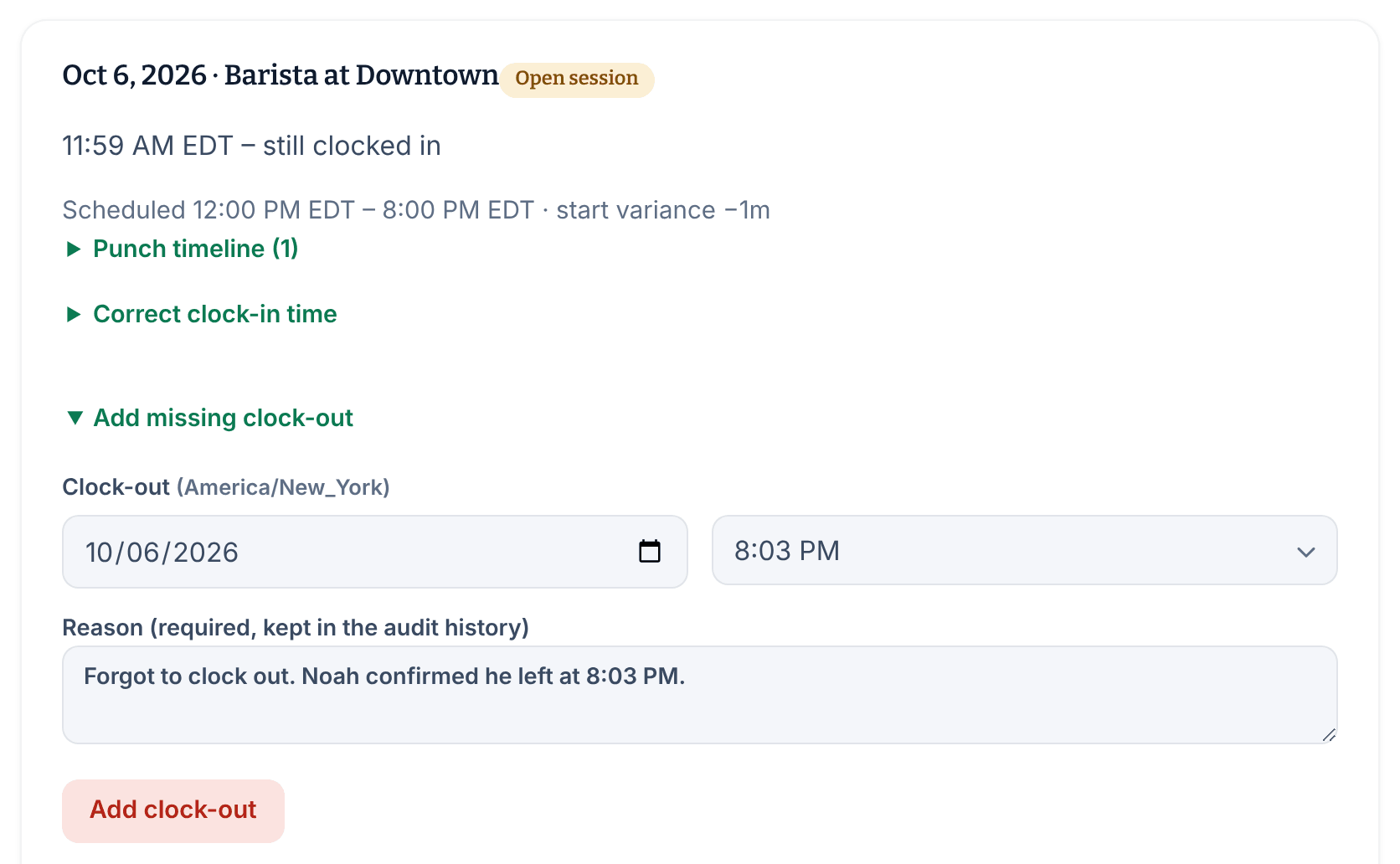
An entry that's still open has an Open session badge and reads "still clocked in".
Add the missing clock-out
- In the open entry, select Add missing clock-out.
- Under Clock-out, set the date and time the person actually left. Times are in the location's time zone, which is shown next to the label.
- In Reason (required, kept in the audit history), say what happened.
- Select Add clock-out, then select Add clock-out again to confirm.
The entry now shows the clock-in and clock-out times and the hours worked. If a break was still running, it ends at the same time. The person's original punches stay under Punch timeline, and your change is listed under Adjustments.
Add a break they didn't record
- In the entry, select Add missing break.
- Enter Break start and Break end, and a reason.
- Select Add break, then select Add break again to confirm.
The entry's totals are recalculated, and the break is listed under Breaks.
If the week is already approved
Approved weeks can't be corrected until you reopen them. On the timecard, enter a reason under Reason for reopening (required), select Reopen timecard, then confirm. The employee is notified. After your fix, select Approve timecard to approve the week again. See Review and approve timesheets.
Related situations
- If the person never clocked in at all, see Add a missing time entry.
- If they reported the problem themselves, see Respond to a reported time problem.
- To close forgotten sessions without waiting for a manager, see Close forgotten sessions automatically.
Was this article helpful?