See who's working right now
For managersUpdated 2 min read
The Time clock page lists who's clocked in or on a break, who clocked out in the last two hours, and who's due now but hasn't clocked in.
The Time clock page shows the punches at your locations: who's on the clock, who's on a break, who left recently, and who's scheduled now but hasn't clocked in. Owners and operations administrators see every location. Location managers and assistant managers see the locations they manage.
Open the board
- In the left menu, select Time, then Time clock.
- To see punches made since you opened the page, select Refresh. The board doesn't update by itself.
If you also work shifts, your own clock is at the top, under Your clock. See Clock in and out from a browser.
What each list shows
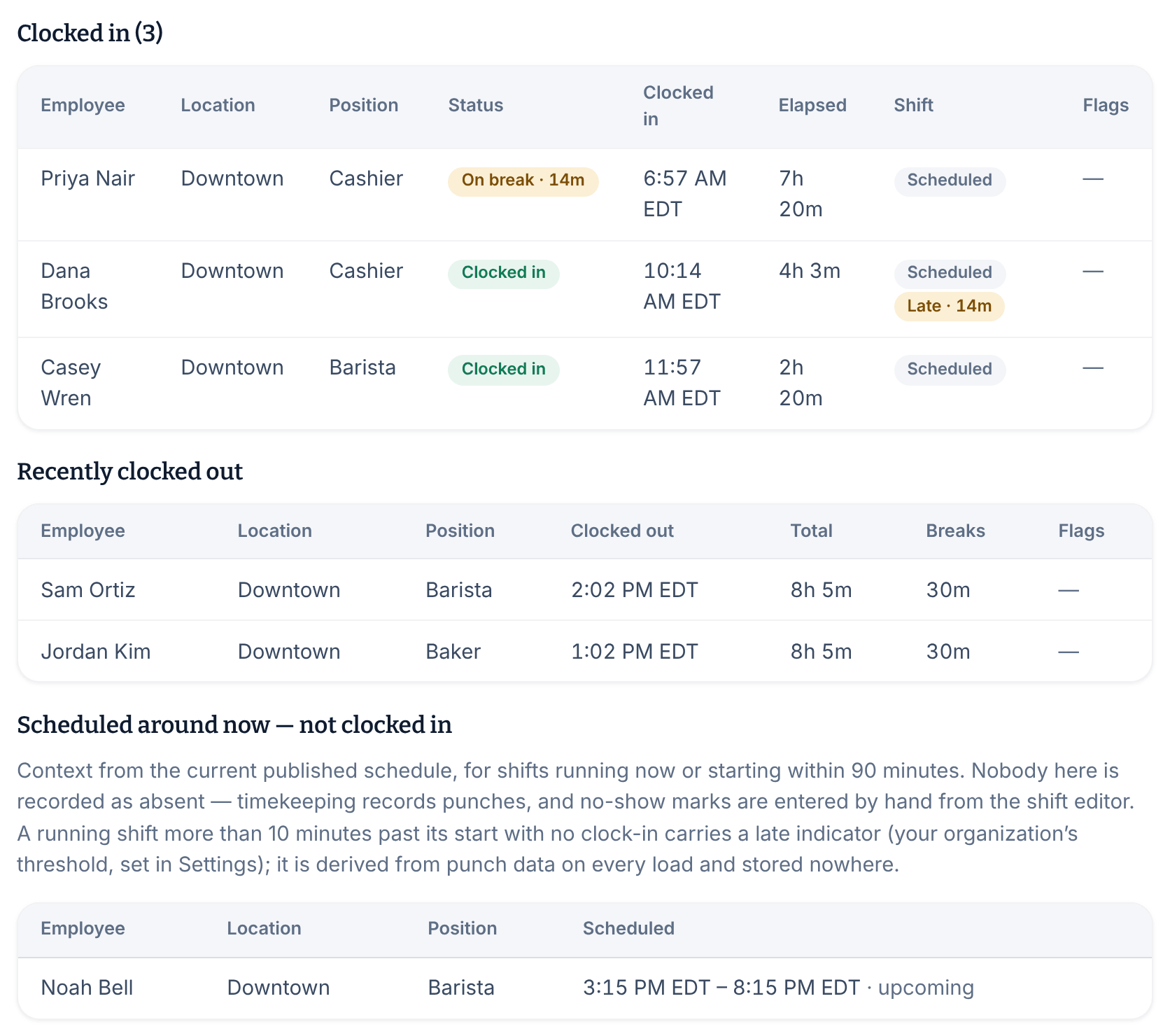
- Clocked in lists everyone on the clock now, with a count. Under Status, someone on a break reads "On break · 14m". Under Shift, Scheduled means the punch is linked to a published shift, and a badge such as "Late · 14m" means they clocked in later than your late threshold. No linked shift means they clocked in without a matching shift.
- Recently clocked out lists everyone who clocked out in the last two hours, with their total time and breaks.
- Scheduled around now — not clocked in lists published shifts that are running or start within 90 minutes, for people who aren't on the clock. "No clock-in · 20m past start" means the shift started more than your late threshold ago and nobody has punched for it. "Clocked out · 1:02 PM EDT" means they worked the shift and have left.
Needs review under Flags means the entry has a flag to check on the person's timecard. See Clear flags on a timecard.
What the board doesn't do
- It never marks anyone absent. Someone in the last list may be on their way, or working without punching. To record a sick callout or no-show, see Record a sick callout or no-show. Marks you record don't show on the board.
- It doesn't act on lateness. "Late" is worked out from the punches each time the page loads, using your organization's late threshold: 10 minutes unless it's been changed. It notifies nobody and blocks nothing. To change the threshold, see Review attendance.
- It can't fix a punch. Corrections are made on the person's timecard. See Correct a time entry.
Was this article helpful?