Organize people into groups
Gather people who belong together, such as your openers, into a group. Then open a channel for everyone in it.
A group is a named set of people that can cut across locations and positions, such as Openers or Weekend crew. Organization owners and operations administrators create groups and choose who's in them. Other managers can see which groups someone belongs to on their record, but can't open Groups. A group never changes what anyone is allowed to do.
Create a group
- In the left menu, select Organization, then Groups.
- Select New group.
- Enter a Name and, if you like, What this group is for (optional).
- Select Create group. The group's page opens.
- Under Members, tick each person who belongs in it. Find someone searches by name, location or position.
- Select Save members.
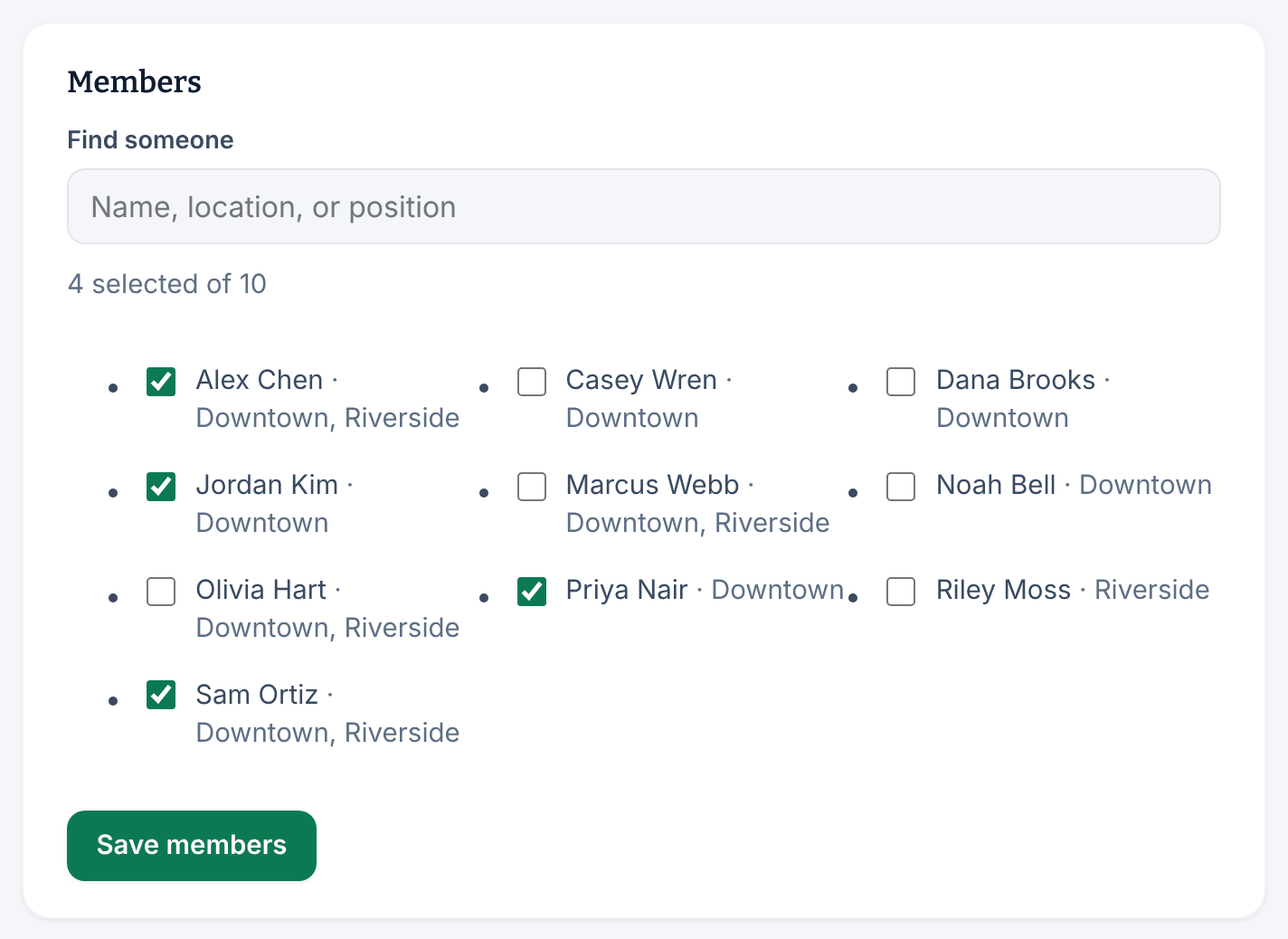
Only active people are listed, by the name on their record. Nobody is notified when you add or remove them. Every group needs its own name, even compared with archived groups.
Add or remove one person from their record
- Open the person's record, select Work & access, then scroll to Groups.
- Choose a group in Add to a group, then select Add.
To take them out, select Remove next to the group's name.
Use a group for a channel
When you create a channel, choose People in specific groups under Who is this channel for?, then tick the groups. Everyone in those groups can read and post. As people join or leave a group, they join or leave the channel too. See Create a channel.
Rename, archive or restore a group
On the group's page:
- To rename it, change Group name under Name & purpose, then select Save.
- To retire it, select Archive under Lifecycle, then select Archive again to confirm. An archived group keeps its members, but anything addressed to it stops reaching them.
- To bring it back, open it from Archived groups on the Groups page, select Restore, then confirm. It comes back with the members it had.
Groups can't be deleted, only archived.
Was this article helpful?